What’s new in ZenSmart this month
Sammy Brent, CIO • 21 July 2026 • 4 min read
We ship on 2 week cycles. Here are four of the latest additions to the ZenSmart Workflow Automation platform. Reach out if you would like to know more.
Straight to a feature? Jump in below.
In this edition
01
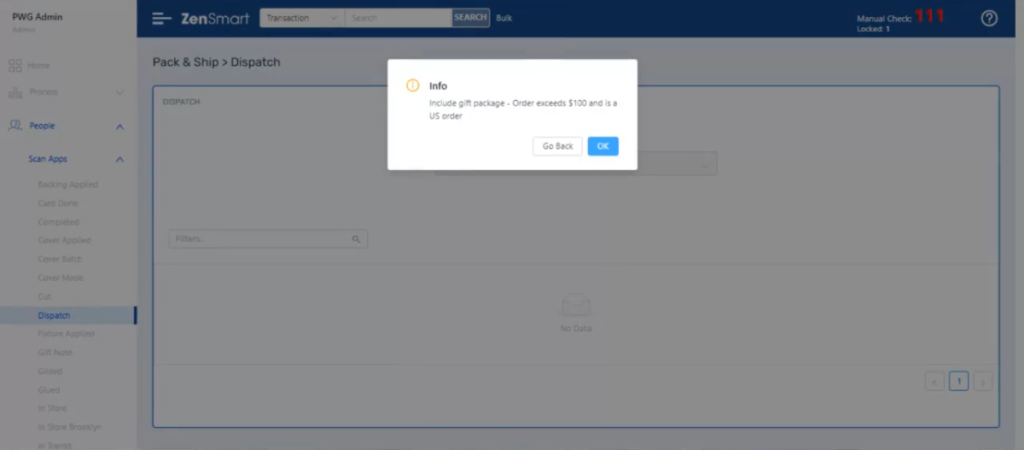
Smart Popups and Instructions
Advice, instruction and prompting of staff when they most need it.
02
Ongoing PrePress additions
Catching up on a series of new pre-press features
03
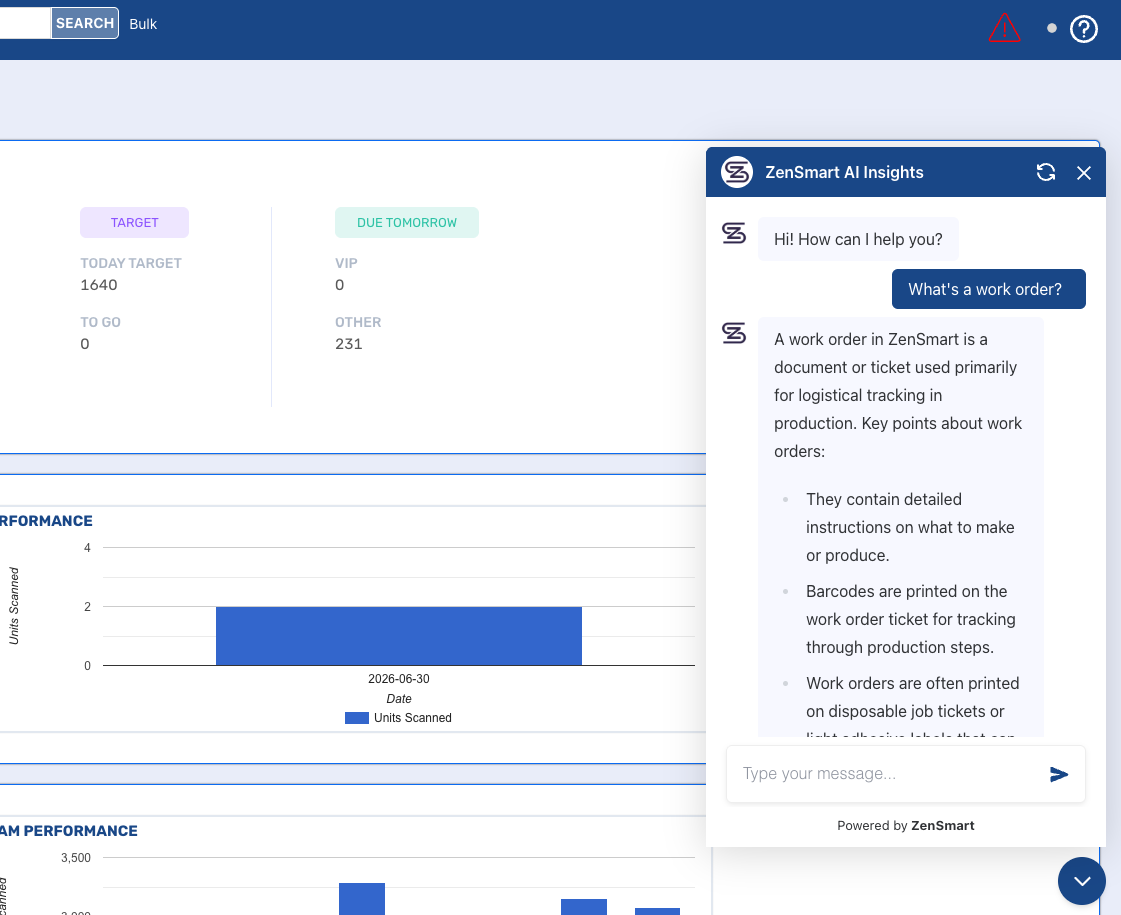
AI Insights – Knowledge
Answers at your fingertips
04
Design your own thermal label templates
Customize your own printed labels
05
Latest Integrations
Introducing Zakeke
01 – Scan Stage instructions
Smart Popups and Tasks
At a Glance
Easy addition of smart prompts and scan stage tasks.
The Problem
Executing the right task, check or workflow at the right time can make all the difference to the quality and timeliness of an order. Being able to flexibly implement all those rules is what makes that possible.
The Feature
Some tasks need to be performed before a scan stage is completed. With this feature clients get the power to enforce business rules and prompt operators at exactly the right moment in the production process – without custom code. For example: if an order is over $5,000 and the current scan is “QA”, show a popup that says “High-value order — check carefully.” Or, if a VIP order reaches Dispatch without a QA scan, prompt the operator to have it QA’d first.
What it means
You can put special rules and procedures in place – easily. When supervisors and team leaders spot a better way of doing something, they can act on it without involving IT.
02 — PrePress feature catchup
Latest PrePress additions
At a Glance
In addition to larger features – we are shipping a stream of smaller enhancements – this is a catchup on recent prepress developments.
The Problem
Good workflow starts with Prepress – how work is queued, batched and routed into downstream manufacturing workflow.
Latest Pre-Press Features
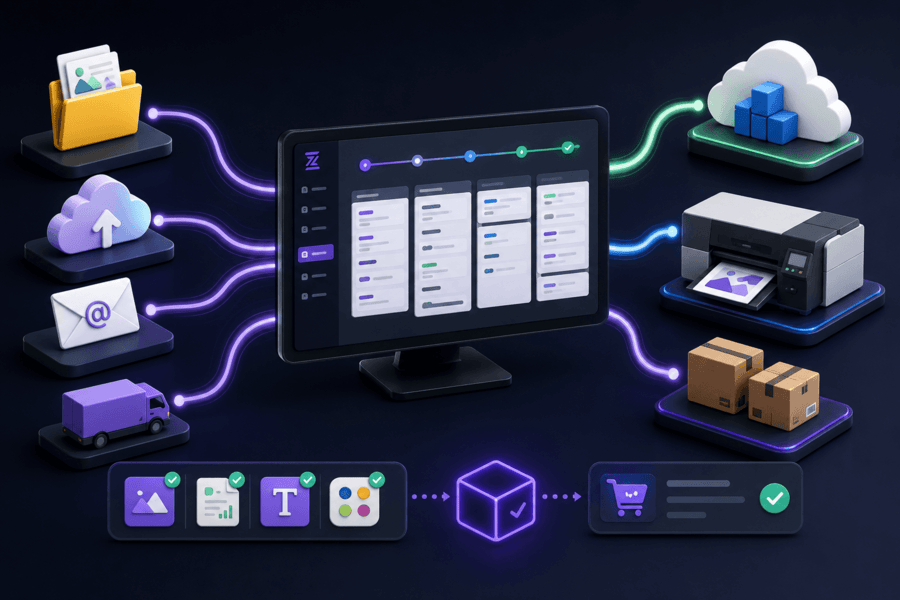
- Imposition Vendor Inclusion/Exclusion: Rotate, Skew, and Text recipe steps can now be scoped to specific vendors/brands via include/exclude rules, letting a single recipe handle different vendor requirements automatically. Clients managing multiple input sources with varying output accuracy no longer need a growing library of near-identical recipes every time an end customer supplies artwork differently.
- Imposition Output to Amazon S3: Imposed files can now be delivered directly to S3 cloud storage, opening up cloud-native workflows with SaaS RIPs, vendor APIs, and remote production partners. Clients operating in cloud or hybrid environments get flexible output routing without VPNs or shared network infrastructure.
- File Assets Model: File assets – logos, CSVs, fonts, colour specs – can now be attached directly to an Order as the input elements a prepress team needs to build the final artwork. Lines then automatically queue once the finished file is uploaded. This means an order can be created before all its assets are available. It’s only released once every asset is provided, plus there is a full audit trail.
What it means
Further support for particular site requirements, adding even more flexibility to prepress workflows.
03 — AI Insights – Knowledge
Answers at your fingertips
At a Glance
An extension of AI Insights into “knowledge” – the facts about your site, procedures, machinery and error handling that people need to perform with confidence.
The Problem
Most businesses run on knowledge locked in a few people’s heads. A handful of key staff hold all the corporate memory – how to handle edge-cases on orders, service the machines, and work around the quirks of production. That’s not sustainable. Staff take leave, people move on, and in peak season, when volume is maxing out, the pressure on those experts becomes a real risk.
The Feature
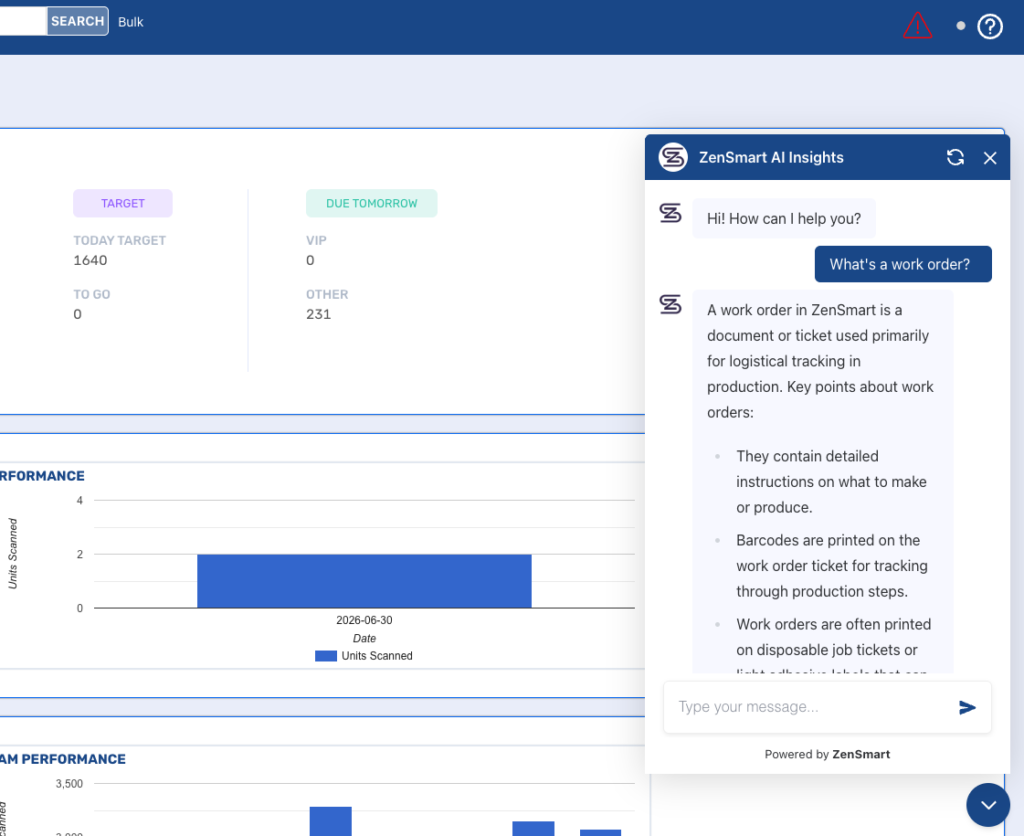
AI Insights already provides AI chat support for asking any question about work in production. Now it supports knowledge too – and that knowledge can be almost anything. What is a concept inside ZenSmart? What is an error message? Why can’t I fail a line? What’s the service procedure for the pinch roller on a GP2 gluer? I’ve hurt my hand — what do I do? Load documents, manuals and procedures into AI Insights and ask any question about what’s stored there. You’ll get friendly, chat-based replies right at your workstation, whether you’re a press operator or a shipping officer.
What it means
Faster onboarding for new staff, less load on the senior people who “know everything”, and no more guesswork about what to do next.
04 — Customize your own printed labels
Design your own thermal labels
At a Glance
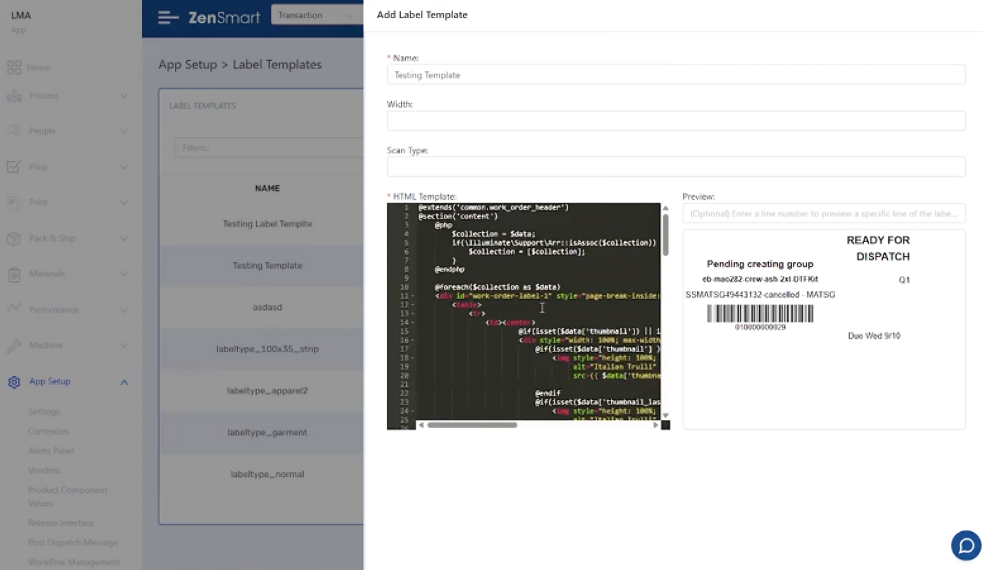
Thermal label templates can now be added, edited, and deleted directly within ZenSmart – no developer intervention required
The Problem
Label requirements change and new products demand new elements on labels. Previously labels were fixed designs, which required a support ticket to modify them.
The Feature
Complete label editing freedom is now available. Create your own HTML label designs, with live previews and built-in validation as you go.
What it means
Easy, agile changes to the labels used to support work moving around the plant.
Introducing the Zakeke integration
Zakeke is a third-party platform that lets customers design personalised products. It plugs directly into existing online stores (including Shopify, WooCommerce and BigCommerce which are all natively supported by ZenSmart). Zakeke is now integrated with ZenSmart, which automatically pulls customer artwork from Zakeke’s ZIP delivery URL and attaches it to the order.

ZenSmart active integration program. The team is adding new integrations each release cycle. If you need a platform not yet on the list, reach out.
Questions About This Release?
Reach us directly at sales@zensmart.ai, or book a conversation via the form below.