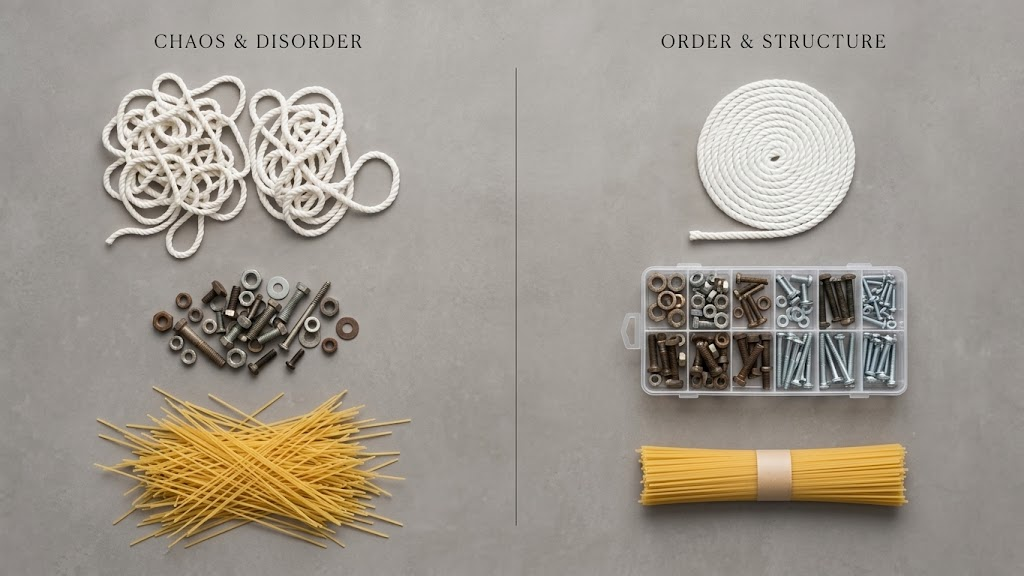
I am continuing the theme from the past 2 newsletters looking at practical step by step automation in different industries – staying away from all the “greater efficiency, enhanced productivity, lower waste” generalities and being very specific about workflow stages and how automation impacts each stage.
This week I am looking at Merchandise automation.
Merchandise workflows appear straightforward, but this can be misleading. Complexity often creeps into merchandise orders because of substrate or jig restrictions and the frequency of multi unit, multi product and orders with kitting. This creates an interesting batching, pre-dispatch workflow requirement and a need for strong inventory management. Early workflow stages strongly overlap with apparel and photo – so please excuse any overlap with previous Newsletters.
Our definition of Merchandise baseline production automation is:
- Automatically get Orders from the front-end Order sources. In merchandise we see a pre-dominance of platforms like Shopify (sometimes with Customily), WooCommerce, BigCommerce and Magento with front end aggregators like Cloudprinter growing strongly. It is also common to see multiple front end order sources and at times a very large number of stores active. We have seen clients running over 1,000 stores. Given the number of order sources – automation plays a really important role in driving costs towards $0 in getting orders into Production.
- Similar to photo product workflows, the large number of order sources and brands makes it likely there is variability in the incoming payloads and artwork. Step 2 is to correct all the incoming order meta data to present a consistent order stream to manufacturing. That means ensuring that the data is well structured and cleaned and the artwork itself is correctly rotated, skewed, scaled and in the right color space.
- Step 3 is to automatically apply business rules to your Orders such as due dates and customer priority. Support the ability to apply different rules based on brand, geography, priority, customer identity and product type. Apply flags such as VIP or rush.
- Automatically handle any exceptions from Step 2, so that orders that can’t be auto-corrected or need to be formally reviewed by a team member because of business rule, are moved to a Review Queue for a person to check. It could be an order value above a threshold amount or quantity or a challenging client or artwork may be corrupt or missing or need updating. This stage delivers a clean list of items for action.
- Smart Queuing: Merchandise normally has well separated production queues by SKU. Due date, single vs multi unit production and grouping across SKUs is the primary queue separation mechanism. Applying these automated queue rules creates efficient downstream pack and ship.
- Smart batching and picking optimally closes queues to the best date vs quantity sizes and generates batches with aligned pick lists. At this stage constraints around roll or jig capacity are important to drive the optimal batch size definitions to optimize for material utilization. Additionally sequencing units within batches provides refined ordering of work. This stage also drives just in time picking or release of stock to the relevant work station as the batches are released with application of uniquely barcoded low tack thermal labels to ensure right order-right customer.
- Automatic ganging and imposition will take the batch and generate a ganged imposition according to the print-finishing workflow requirements. Regardless of whether it’s a workflow with Dye Sub, UV-LED flowing onto a Zund or Fotoba for example or DTO, automation drops all barcodes, optical marks and finishing instructions with color due date logic.
- Press automation manages the routing of the batch directly onto the selected press either as batch release or scan to print by scanning the barcode of the item to be printed. The automation has every network mount and hotfolder configured, every release done perfectly.
- RIPs and Presses are auto-monitored. The automation also monitors each of the presses enabling easy recovery in the event of downtime or RIP fail. Beyond monitoring the RIPs are actively managed so that work can be drip-fed where required (some RIPs don’t manage their queues well and can crash if fed too much work).
- Automate routing of work and the monitoring of performance. Track staff actions and productivity at all devices and workstations by recording batch, job or unit level barcode scans. As scanning occurs staff are directed where to send work next depending on your rules/procedures.
- Automate quality checking and routing: We see two different quality assurance motions in plants. Either QA is focussed on a specialist role or devolved across the team. In either execution, a scan to fail either sends the item backwards in workflow or sends it to remake. Re-make reason and identity of machines and staff in the workflow are recorded. If a devolved QA method is used, budgeted fail limits (count or dollar value) maintain prudent controls.
- Automate the grouping of units within an Order or across Orders at pre-dispatch. Complex orders can be sequenced according to their optimal cadence and then aggregated automatically at a pre-dispatch stage so that they can be combined for efficient shipping. In merchandise this stage is really important due to the high order count of multi-sku orders (eg – mug + tumbler + keyring). At this stage count validation means that shipping gets a clean flow of work.
- Accessorize the Order by scan – add accessorization items by scanning units for system generated instructions. This automation stage also supports adding vouchers, customized letters or custom offers (all driven by business rules). The automation also utilizes check barcodes for validation – to make sure the right items are included in the Order.
- Scan to Ship: Scan units in the order to automatically validate count and ship the order to least-cost ship selection. The automation provides packing instructions (which pack/box to use to optimize for weight/cube) to the Team Member and auto generates ship labels with the correct label count and customs documentation.
- Automate inventory systems and ERP. The automation will update upstream inventory or ERP systems with actual observed consumption rather than theorized materials usage plus provide labor consumption for next level insight.
- Automate performance and goal sharing: Because the system is recording comprehensive data across every stage of the process, the automation can use this data to drive visually compelling real time team Dashboards. We usually see those configured for daily target, target to go, over SLA, fails & important Orders pending. This same information at a higher level of detail is also automatically pushed to Executives and Management through KPI Dashboards to enable critical plant management decisions to be made.
- Automate WIP management: Give Department Supervisors clear views of WIP by due date including items moving too slow through production (ie. the orders that need special attention). Provide Alarms and Alerts down to the individual Order level.
Effectively the entire rule base of how to run the factory is stored inside the businesses automation platform.
From a Team Member perspective it means that executing the order stream is simply a scan-to-make process. All of the hidden business rules and the special client treatment processes are all defined within the system. That becomes really important during peak or when staff turnover occurs, because the automation knows how to execute the work. That means fast movement of work to SLA, reduced pressure on the experts in the team, resilience to get through people absences & equipment outages and a big reduction in cost.
Reach out if you would like to dig deeper.