Bit of a delay with this latest newsletter, I have been in Denver at the Cin7 Summit – the Future in Stock (great event – more on that in a later post).
In Newsletter 67, I described a conversation with a frustrated potential customer. He commented – the software industry loves vague terms like ‘efficiency’ and ‘productivity’ but it doesn’t do a good job of defining what automation actually does on the floor.
Newsletter 68 continues the dive into specific automation workflows – this week I look at photobook workflow.
Our definition of Photobook production baseline automation is:
- Automatically get Orders from the front-end Order source – where in apparel and merch it tends to be e-com marketplaces and web to print editors like Zakeke or Customily, in photo it is more likely to be proprietary rich editors such as Taopix, Printbox or MediaClip or the aggregators such as Printify, Gooten and Cloudprinter or direct brand integration. Regardless of the order source(s) Step 1 is to get every Order and the artwork for the Order into the Production Stream with zero touch whilst managing the idiosyncrasies of each order source connection with no people involved.
- In Photo, more order sources and more brands mean you are dealing with increased variability in the incoming payloads and artwork. Step 2 is to correct all the incoming order data to present a consistent order stream to manufacturing. If you are B2B you will find that even major Photo brands have inconsistencies between some of their own products in a single size. Tasks are to map product codes, correct dimensions, rotation, data and artwork so it’s clean output requiring no review – all with zero touch.
- Step 3 is to automatically apply business rules to your Orders – due dates and customer priority. Support the ability to apply different rules based on brand, geography, priority, customer identity and product type. Apply flags such as VIP or rush. You may even process images automatically through Perfectly Clear or Viesus at this stage.
- Automatically handle any exceptions from Step 2, so that orders that can’t be auto-corrected or need to be formally reviewed by a team member because of a business rule, are moved to a Review Queue for a person to check. The reason could be an order value above a threshold amount, a client tagged with a Pre-Clear tag or corrupt artwork that needs updating. Regardless, present a clean list for action.
- Intelligent Queue. Photo is renowned for big combinations of size x paper x binding x cover type x options x finishing method. Sites can run hundreds of thousands of production permutations. Intelligent queuing automatically groups work together that can move as a batch as far down finishing workflow as possible – providing mass manufacturing economics. Automation step 5 is to queue all these Orders and auto-group all the work that can be manufactured together in like-SKU, like component, date-optimized & due-date-driven Queues. This keeps the factory running in peak logical efficiency. No running reports, no guessing at priority.
- Smart Batching: Where Queues logically group items to date and efficiency, Batches are the best economic size of work to be manufactured to due date. Step 6 is the creation of the Batches and sequencing the work inside the Batches to an optimised order (normally FIFO but sometimes by brand or customer priority). What’s important in Photobook workflow is to handle the cover work in parallel. Dust jackets and/or Photocovers need to be released in parallel batches with same sequencing of the text blocks so that they can be seamlessly merged at Cover/Text match for casing-in.
- Automatically gang and impose cover and text blocks with all marks, batch and job sheets: One of the characteristics of Photo books is the quantity of press x finishing options. Products can be printed and finished on multiple devices – for example a 11 X 8.5 Photobook can be printed on both a roll fed and a cut sheet device and cut on a guillotine, Tecnau or Horizon, and that selection changes with machine availability and work volume. The ability to seamlessly move work between different press x finishing workflows becomes a major manufacturing advantage with all the right barcodes, cutting marks, optical marks and instructions dynamically dropped to sheet or roll. Highly automated plants can either by business rule or 1-click assignment, switch batches across very different press-finishing workflows. It is a huge gain in optimizing flow of work on the floor and SLA compliance .
- Auto route directly to the Press via Hotfolder or JDF according to the press routing rule or selected workflow (for both the Cover and the text block) – regardless of the workflow combination selected all work is joined into a single streamlined process.
- RIPs and Presses should be auto-monitored. This is particularly important in Photobooks where very large books with high page count can result in very large batches. The automation should extend to sizing of batches (in GB) that reflect the limitations of the RIP environment. Some RIPs need to have work throttled due to weaknesses in their queuing ability. The automation solution should be aware of and deal with constraints like these plus monitor RIP and Press processing with auto-resubmit in the event of any transient events.
- Automate Cover – Text Match. Photobook production has special workflow management requirements because of what we call Multi-Block. For example a Photobook could comprise a Text Block (the printed pages), Cover Block (a PhotoCover for the book), Dustjacket and a Slipcase. Combining cover and text is done at an automated cover text match stage where aligned text blocks and cover blocks are brought together to enable them to go to case-in. This is where the sequencing done inside of Batching becomes super important to maximize team member productivity.
- Track production by recording barcode scans and automatically know the Who, What, Where and When of every single component of production as it moves through at (1) Cut, (2) Cover Lamination, (3) Binding, (4) Case Making, (5) Final Cut, (6) Cover/Text Match, (7) casing In and (8) Embellishment. Overhead scanners work well to minimize hand movement.
- Route work by directing staff where to send work next depending on your rules/procedures. Everything should be contained inside the system so that staff only need to scan a barcode to know what to do next – even down to complex rules around VIP and Brands. Provide an Assistant inside the automation solution to answer questions they might have. This is important if they are new to the role.
- Barcode scan for quality pass/fail with fails being auto-sent back to re-make with reason recorded and staff and machines tracked. This function should be supported at any stage of the process, to capture a defect as early as possible in any component within the item being manufactured.
- Automate routing to shipping and automate multi-item aggregation. If it’s a single, send it straight to Shipping. If it is a multi then use PreDispatch bins to aggregate items within an order or across orders. Automate this process with a single scan and simple put or get instruction. Count and validate by scanning if required.
- Accessorize the Order – add picked items, add vouchers, add customized letters or offers. Provide barcodes and validation to make sure the right items are included in the Order. Simply barcode scan an item and let the system instruct the Team Member on the actions to take with scan validation.
- Automate Shipping with interactive instructions for the packer. Provide clear instructions on pack type, with logistics provider auto-selected by shipping algorithms. Auto-generate all labels and customs documentation.
- Automate ERP and Inventory System update for accurate recording of consumption for materials and Labor.
- Share real time information with the team automatically. Through every stage of the process give the team Dashboards relevant to them to look at. Accurate in real time these dashboards provide the team information like – target today, target to go, fail count and important orders incoming. Information that gives them context and powerfully impact culture.
- Automate Management KPI dashboards. Give the Management Team KPI reports and Dashboards that give them automated situational awareness.
- Automate the information finance needs. Give the Finance Team automated reports for billing and financial insight.
- Automate Supervisory Order Views and Alerts about things going wrong. Give Department Supervisors clear view of WIP by due date including items moving too slowly through production (ie. the orders that need special attention). Ensure that any orders that are moving too slowly are clearly visible.
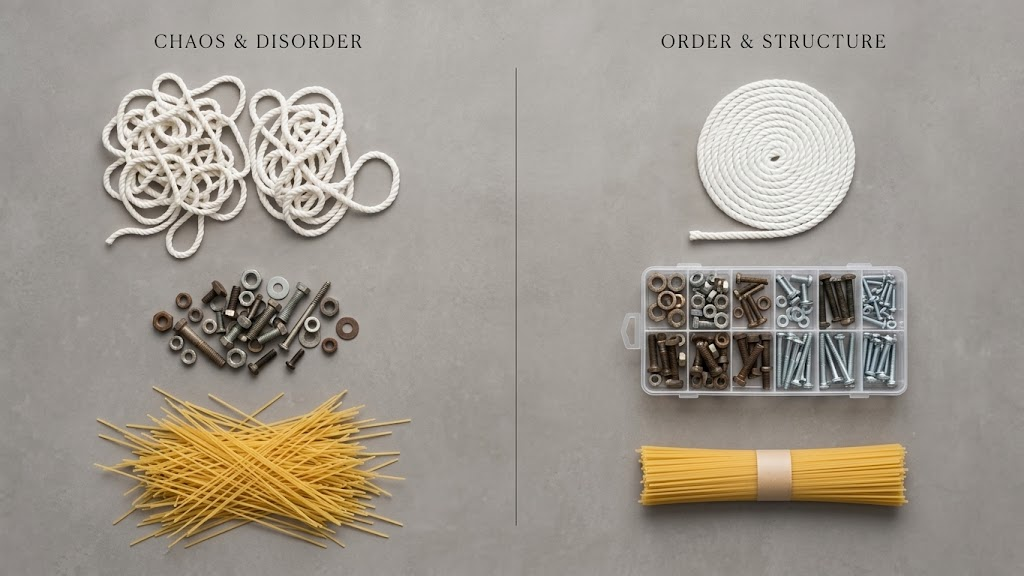
There are 27 individual workflow stages inside this overall process – you may need less or more – as every site is unique. The glue holding together all these 27 stages, is a simple barcode scan. Everything else is automated – rules learned once and then applied to turn complexity into simplicity. That is what automation does. No guessing about what to do next or how to do it, just scan and process – the system looks after all the complexity….. including the entrepreneurial deals done by Sales.
The productivity gain comes from the right work at the right time to the right cadence with no orders missing SLA.
Efficiency comes from great materials utilization and perfect feedback about quality fails so waste can be extinguished.
Time savings come from better flow and right sequencing – so less overtime and faster staff onboarding because staff don’t need to know all the secret little procedures that only the long-termers know.
Better selling comes from being able to do things/agree to deals your competition can’t do.
I hope that adds another dose of practicality.
Reach out if you would like to dig deeper.