WORKFLOW AUTOMATION
FOR APPAREL

Tailored solutions for screen, DTG, DTF, dye-sublimation & embroidery

ZenSmart for Apparel Production: 7-Step Workflow Automation

ZenSmart Apparel is built to automate production workflows for Screen Printing, Direct-to-Garment (DTG), Dye Sublimation, and Embroidery. It connects directly with multiple order sources—such as Shopify, DecoNetwork, and Printavo—and automatically queues, batches, and generates pick lists based on your production rules.

The system manages every stage of production across 7 steps, from order intake to final output. Each step is tracked in real time, with automated routing, barcode scanning, and performance data collection. AI-powered analytics identify inefficiencies, helping you manufacture to Service Level at Least Cost.

7-step automation

1. Order intake from 40+ sources
2. Smart queueing across brands & sources
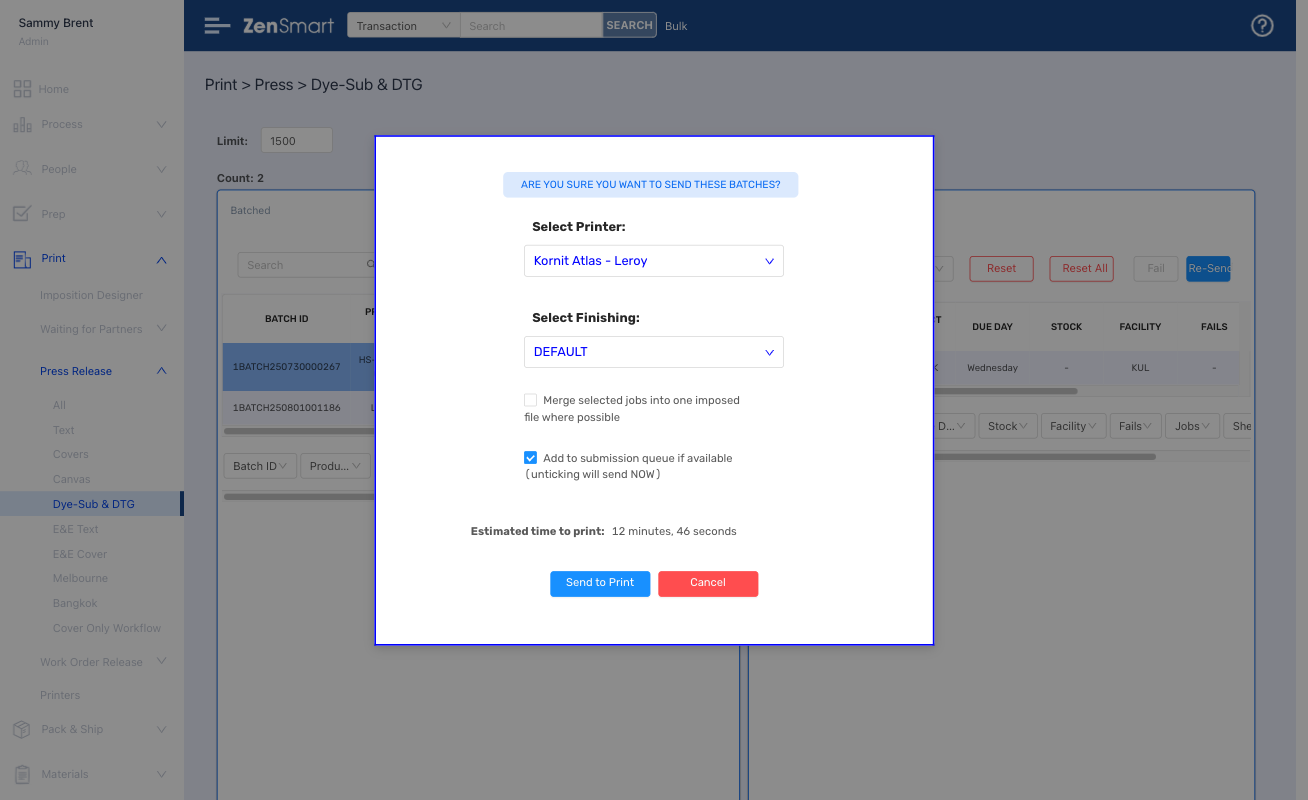
3. Auto batching & printing with pick lists
4. Smart layout, imposition & cut layers
5. Barcode-driven production for DTF, DTG, Screen, Dye-sublimation & Embroidery
6. Quality control with auto reprint
7. Ship with least-cost automation

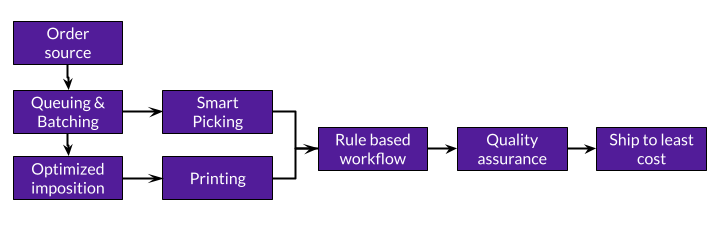
zensmart is showing A flowchart showing a process: Order source → Queuing & Batching → Smart Picking or Optimized imposition → Printing, then both lead to Rule based workflow → Quality assurance → Ship to least cost. with print workflow automation

Go live in as little as 1-day with ZenSmart AI-Start

AI-Start speeds your ZenSmart implementation through automated onboarding

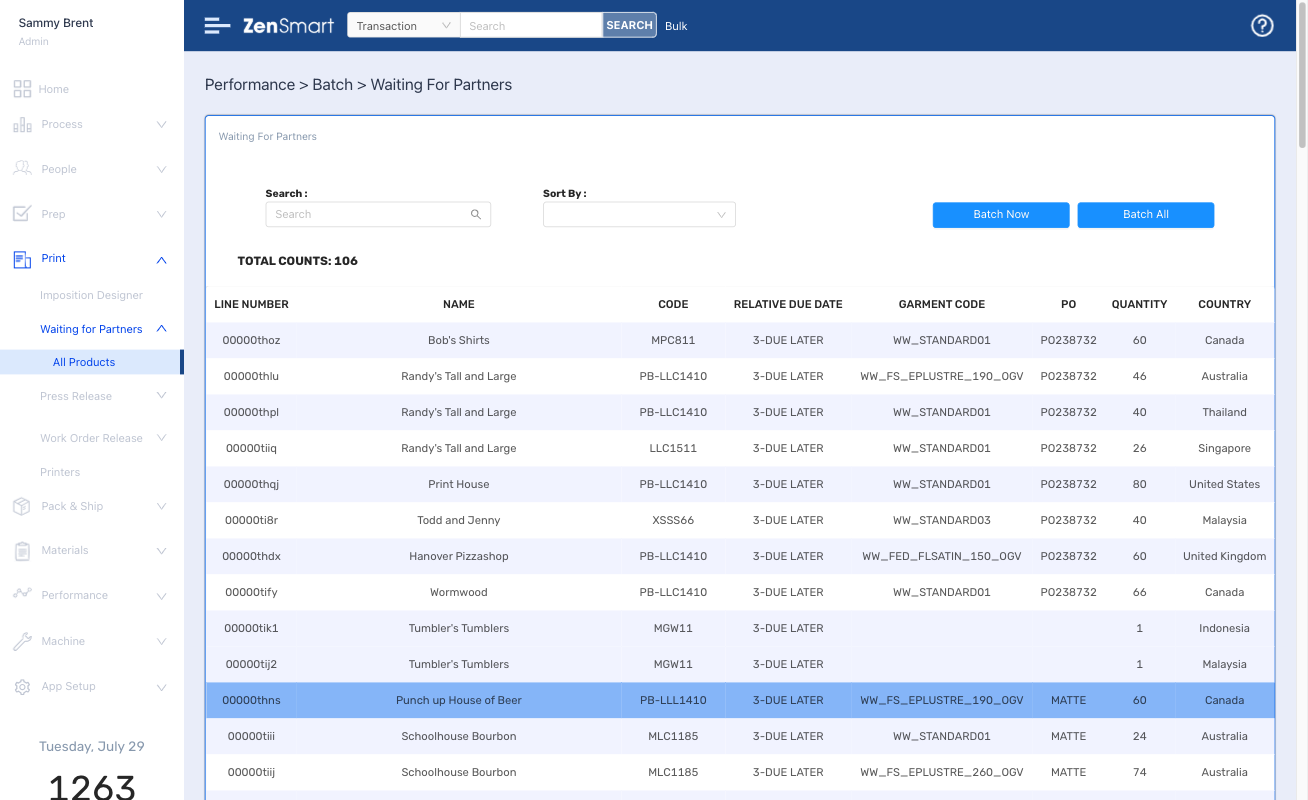
Integrated picking aligned with batches and smart labels

Reduce labor costs through integrated batching and picking with full bill of materials

Smart imposition with cut layers for smart DTF & dye sub workflow

Revolutionize DTF workflow with automated cutting and order-artwork matching

Full bill of materials with consumption tracking and re-order alerts

Get automated alerts when your consumption reaches your trigger stock levels

Switch between production options with 1 easy click - screen to DTF, DTF to DTG

Achieve truly agile manufacturing capability.

Automated accessorizing and ship combine across orders and product groups

Streamline inclusions and accessories for your orders. Lift customer service and cut your costs.

ZenSmart Apparel How it works

Industry specific features and functions created to power your business forward

1

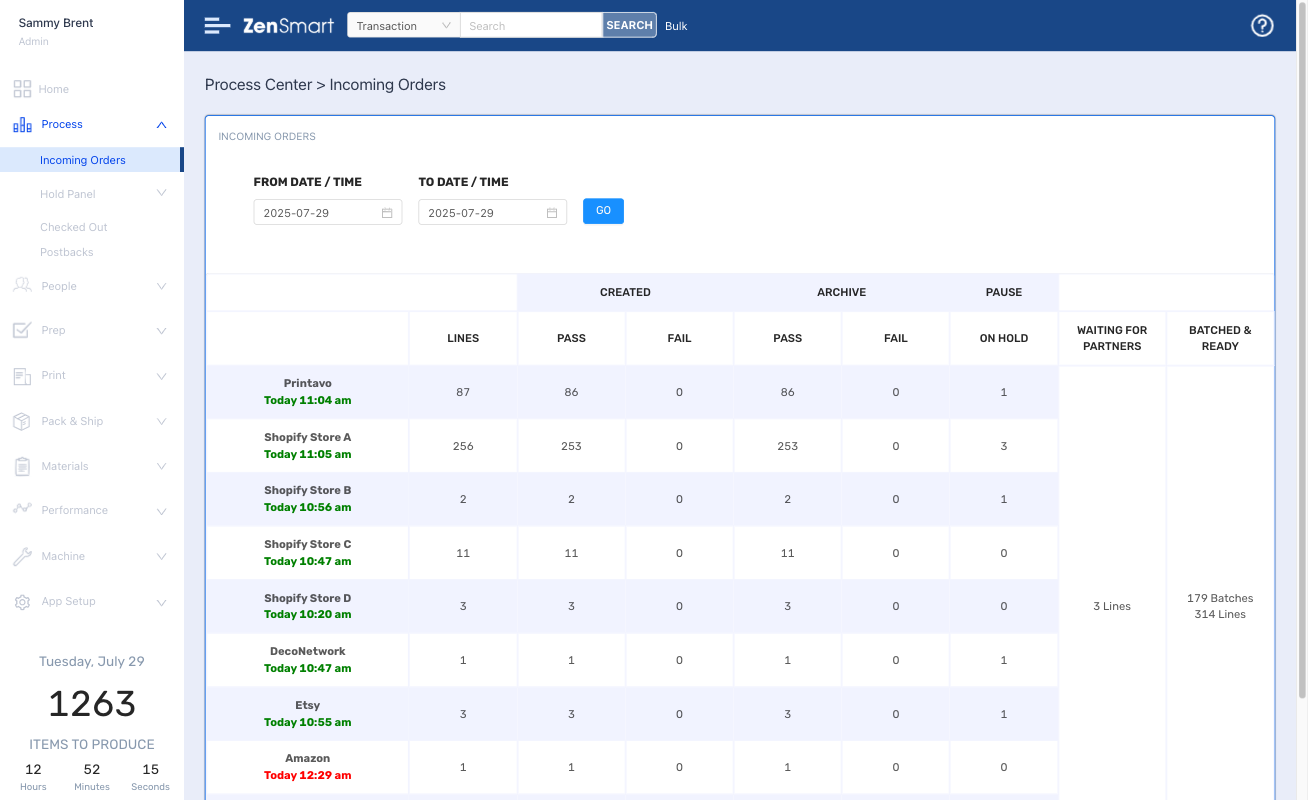
Automatically get and process orders from Printavo, DecoNetwork, Shopify, ShipStation, Etsy, Amazon and many others

Features

  • Onboard “fast” with ZenSmart AI-Start . Automatically add products and map all your product-flows
  • Add any Shopify, Amazon, Etsy, WooCommerce, DecoNetwork or Big Commerce storefront in minutes

Which means

  • Get started in as little as 1-day
  • Automatically onboard all your products – go live fast
  • Build new revenue streams & add new order sources (easily)
  • Drive down cost

Orders flow into smart queues even across brands,
then auto-batch to least cost to SLA target

2

Features

  • Queue like garments able to be manufactured together driven by your business rules
  • Change queue rules automatically by time and day

Which means

  • Eliminate manual labor in forming batches
  • Never miss a due date

3

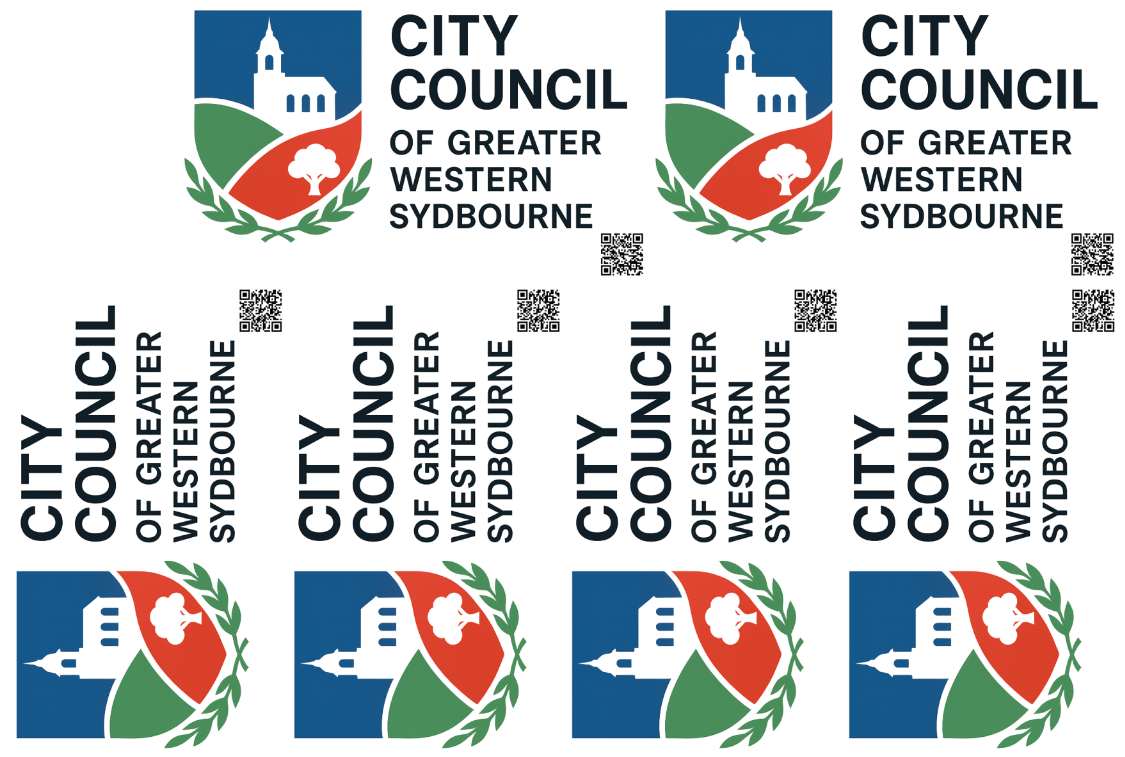
Orders are imposed for your chosen workflow and to your batch rules - all just in time for maximum production agility

Features

  • Fully integrated imposition solution with powerful layout options
  • Define cut layers for automated cutting for DTF and Dye-Sub
  • Speed imposition for DTG or Screen with automated rotation, mirroring, scaling
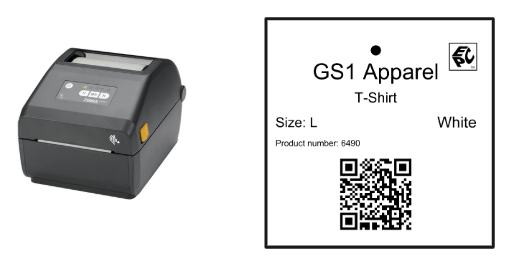
  • Design batch, job sheets and thermal labels aligned with your DTF, DTG, Dye-Sub, Embroidery and Screen workflows
  • Automate directly onto the screen or press device

Which means

  • Reduce labor
  • Remove error
zensmart is showing A label printer is shown next to a sample printed label for "GS1 Apparel" T-shirt, size L, white, with a product number, barcode, and certification mark. with print workflow automation
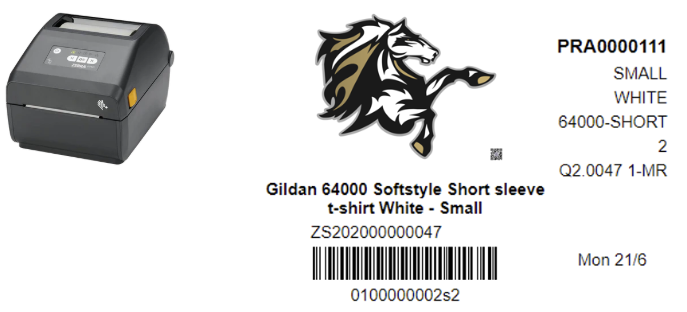
zensmart is showing A shipping label with a printer, horse logo, order number PRA0000111, and barcode. Details include: Gildan 64000 Softstyle short sleeve T-shirt, white, small, and relevant SKU and tracking codes. with print workflow automation
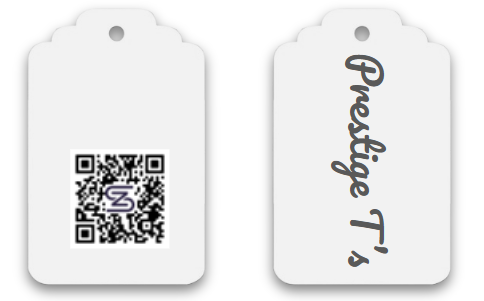
zensmart is showing Two white tags: one displays a QR code with a purple “Z” in the center, the other shows the text “Prestige T’s” written vertically in a stylish gray script. with print workflow automation

Batches are auto-formed with aligned pick lists. Send to Screen CTS,
Embroidery or DTF/DTG with one-click and just in time workflow flexibility

4

Features

  • Move work between different workflows with a single click – all done just in time, DTF or Screen, DTF or DTG all driven by your rules
  • Auto generation of pick lists for both print first DTG workflows and print last (DTF, Dye-Sub, Embroidery and Screen) workflows.
  • Rich DTF support with trimming paths and integrated barcodes for either swing tag, trimmed or masked barcodes

Which means

  • Increase manufacturing agility – machine downtime – no worries
  • Reduce labor costs
  • Eliminate print errors

5

Make, Finish & Bag with total oversight of time, effort and cost

Features

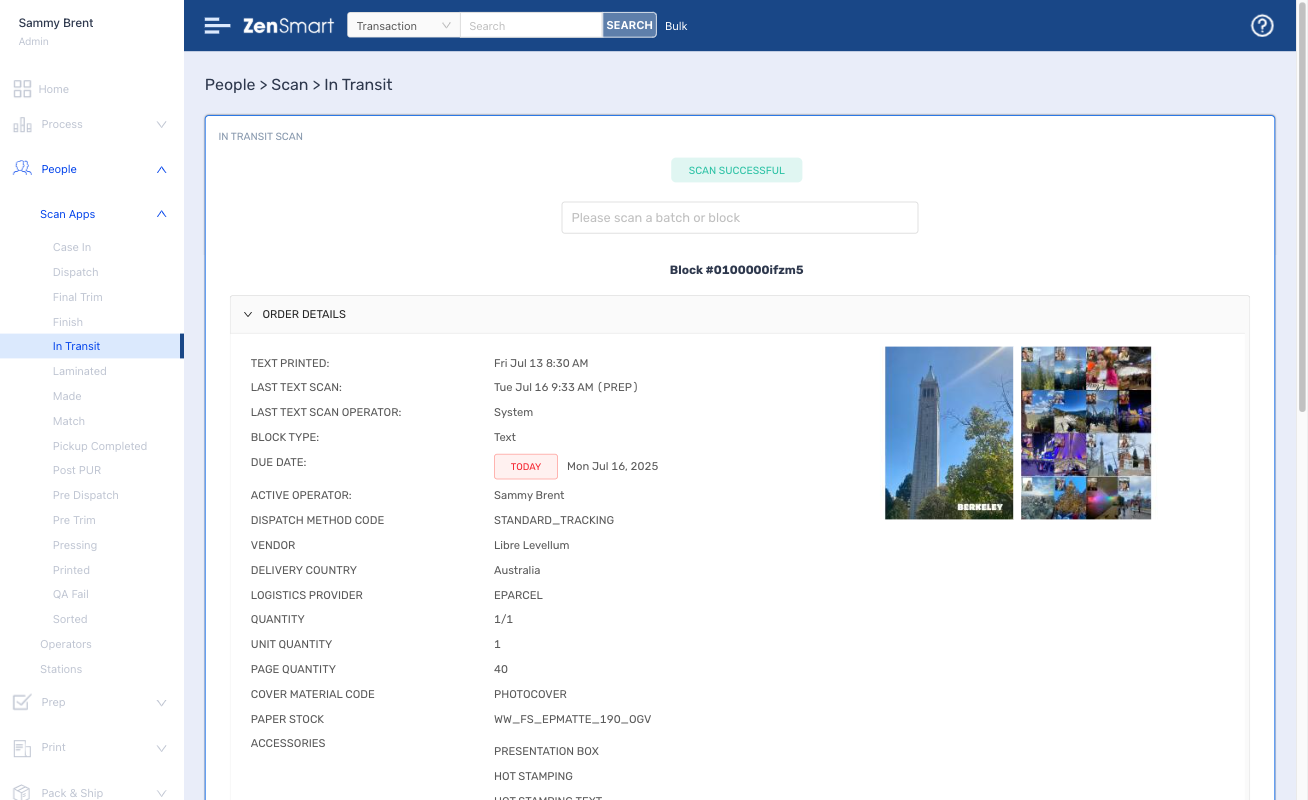
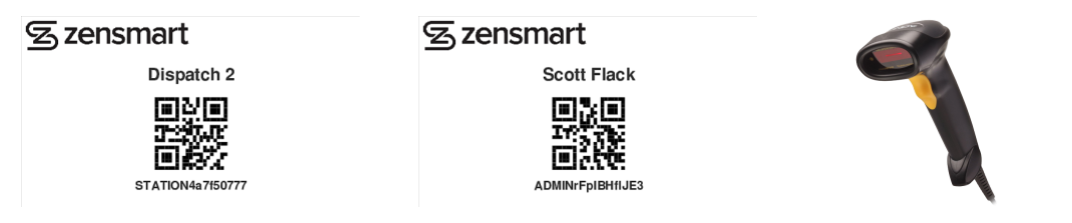
  • Simple scan-apps make it easy for staff to process work
  • Clear instructions of next process stage – even if you have complex rules for brands or VIPs
  • All work is time recorded – single scan or automated scans for DTG and DTF, stop & start timers for Screen at each process stage

Which means

  • Track staff performance
  • Understand the status and location of every order in real time
  • Reduce training costs
  • Automate special rules for special customers
zensmart is showing Two QR code labels for "Dispatch 2" and "Scott Flack" appear under the Zensmart logo, beside a black handheld barcode scanner with a yellow button. with print workflow automation

Manage garment quality & hit your SLA's (always)

6

Features

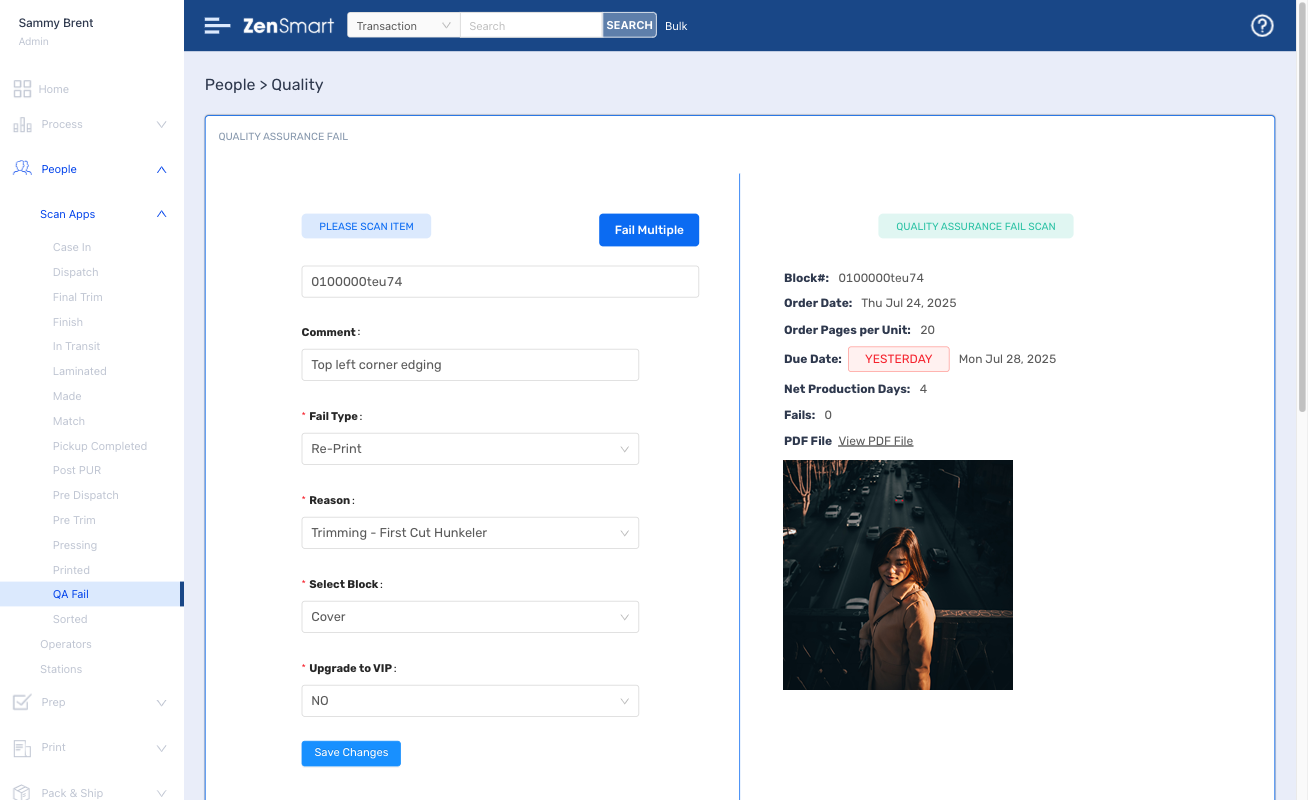
  • Simple, easy to use – scan to fail, define fail reason
  • Automated queueing and re-batching for fast reprint
  • Define fail limits and fail budget limits for escalation
  • Support for order, unit or component re-make

Which means

  • Reduce your wastage levels and increase profits
  • Clearly see where fails are coming from
  • Identify patterns and stop the problem at its source

7

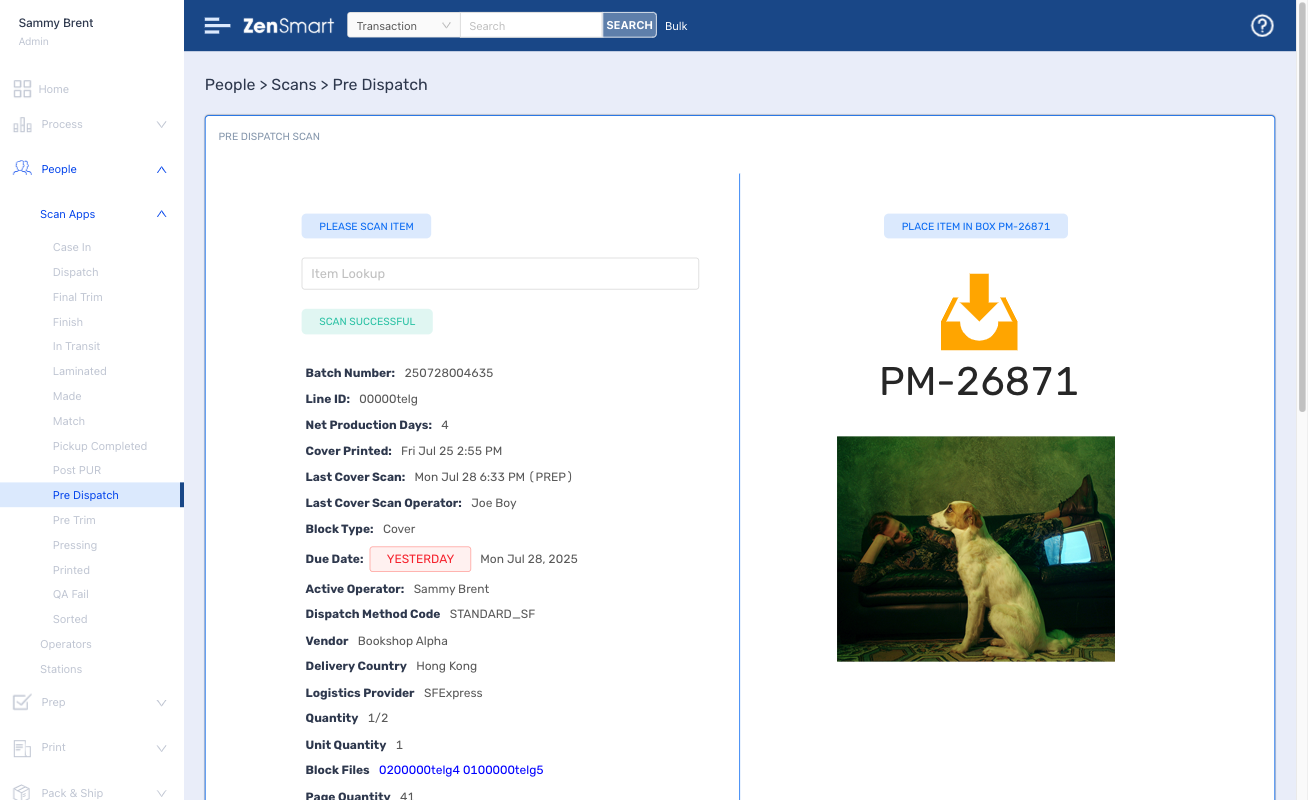
Pre-dispatch Combine and Ship to Least Cost

Features

  • Combine items even across product groups that can ship together with a simple barcode scan
  • Add accessories at this stage or at Shipping – all driven by your rules for brands or VIPs
  • Simple scan to ship with smart least cost ship logic
  • Large number of existing shipping integrations

Which means

  • Reduce shipping costs
  • Track dispatch staff performance
  • Never miss a ship date target

Setup with ease, administer with minimal effort

Part of running a great workflow automation platform is controlling how you manufacture and how you adapt to changes and innovation in your organization. ZenSmart has a sophisticated set of tools and easy to use interfaces to make implementation easy and then adapt your implementation over time.

AI-Start changes the game for system set up

Features

  • Learns all your products, product meta-data from any of the existing order integrations (Shopify, Printavo, DecoNetwork, ShipStation and many more)
  • Adds all your SKU-product workflow combinations automatically
  • Enables super-fast addition of any new proprietary order source

Which means

  • Add “big” ranges automatically
  • Go live in as little as 1-day
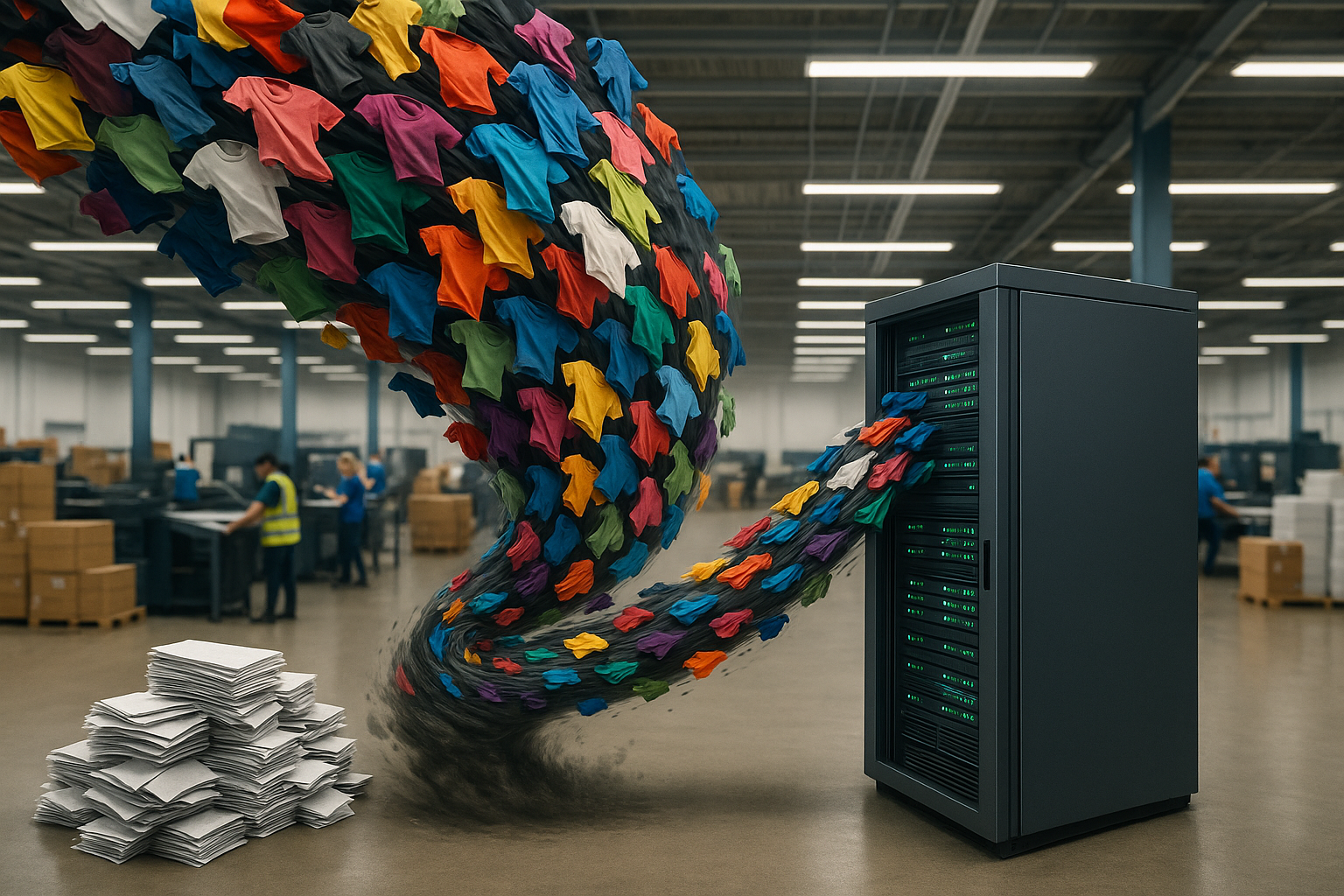
zensmart is showing A swirl of colorful t-shirts flows out of a server cabinet in a warehouse, with stacks of paper nearby and people working in the background. with print workflow automation

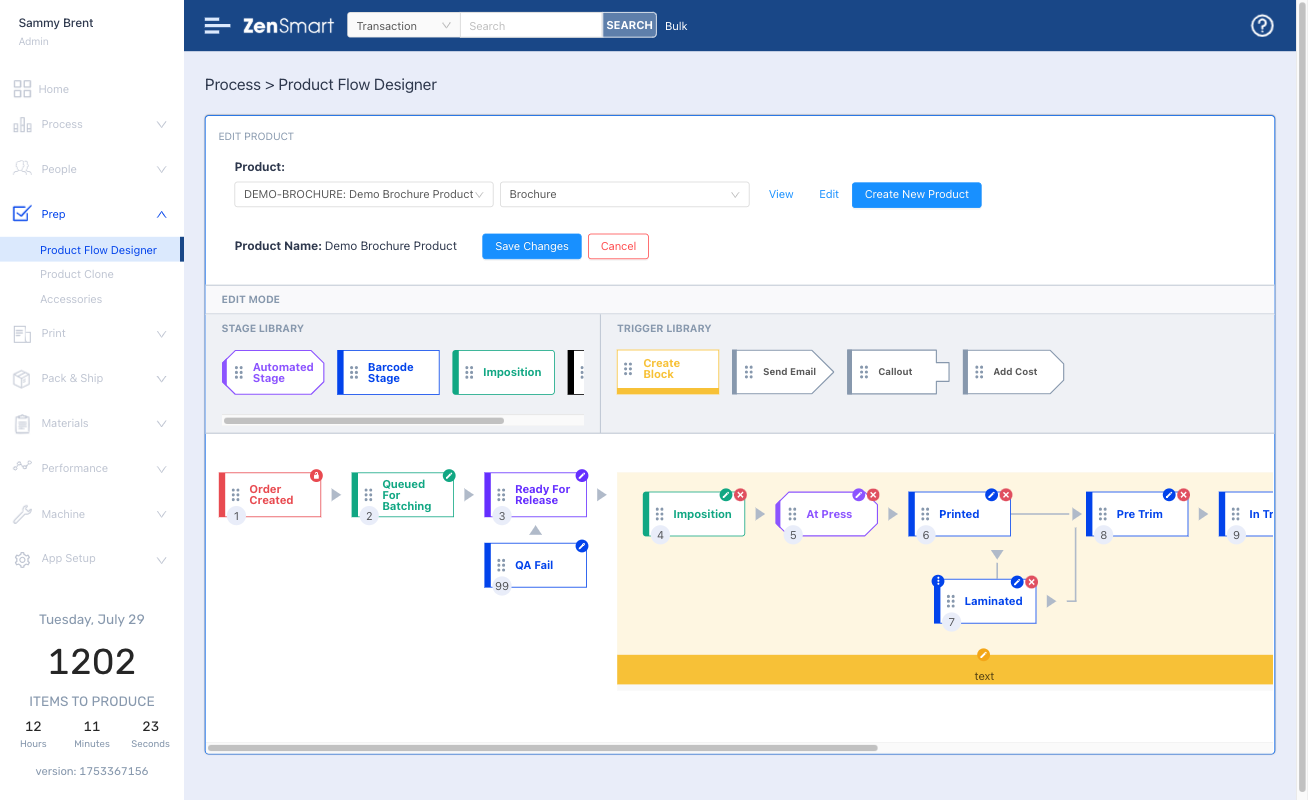
Create product workflows with drag and drop ease

Features

  • Create new product workflows with just a few clicks
  • Amend workflows by simple drag and drop
  • Screen CTS, DTG, DTF and Dye-Sub workflows pre-loaded
  • Automatically queue and batch to different production workflows with your business rules
  • Switch jobs from Screen to DTF, DTG or Dye-Sub all automatically

Which means

  • Route work automatically
  • Reduce labor costs
  • Make changes to workflow with no headaches

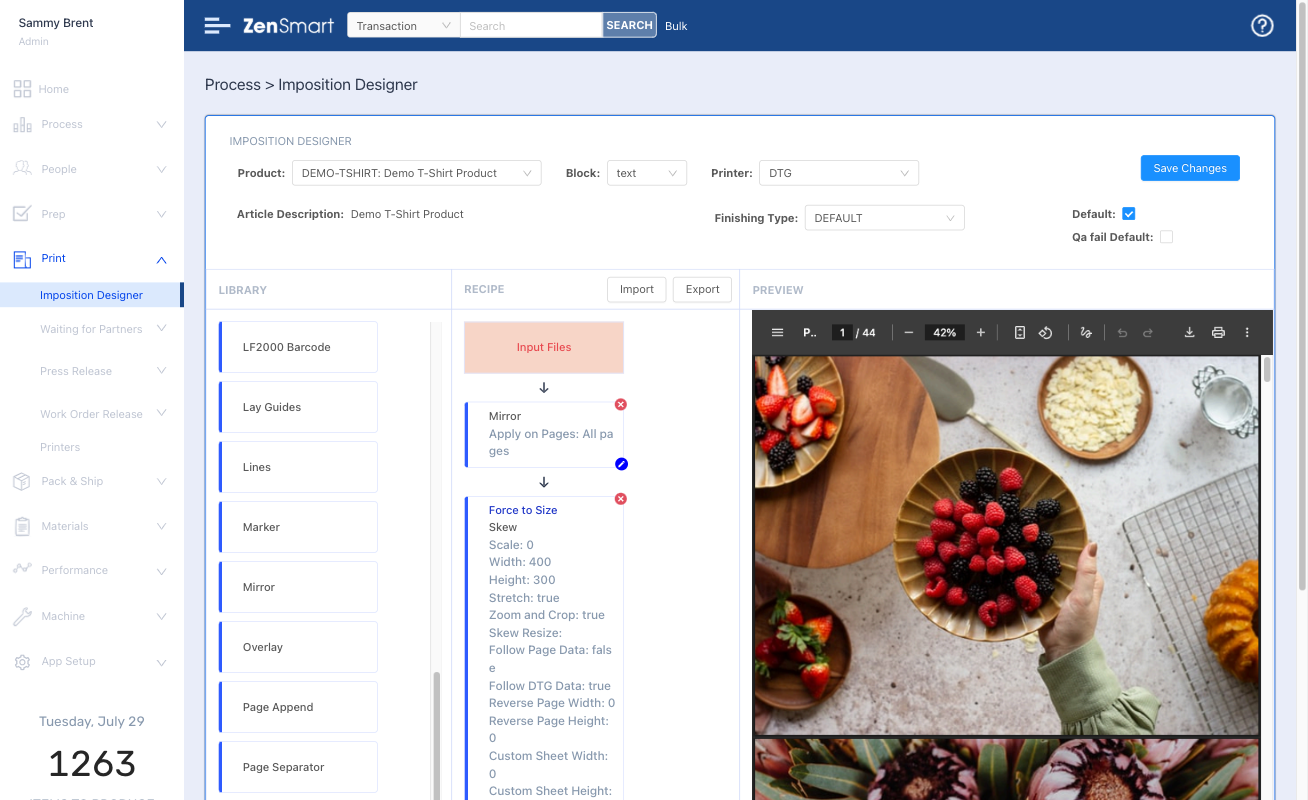
Fully integrated Imposition Designer enables any product-flow support

Features

  • Design any page layout
  • Create one-up workflows for DTG, Screen & Embroidery or DTF and Dye-Sub  impositions with cut lines and optical marks for auto-cutting, barcodes for auto-order association
  • Build your recipes for each production type, enable co-printed thermal labels and swing-tags with dynamic barcodes
  • Auto generate batch and job sheets

Which means

  • No need for an external imposition app
  • Automate directly to CTS, DTG, DTF, Dye-Sub devices

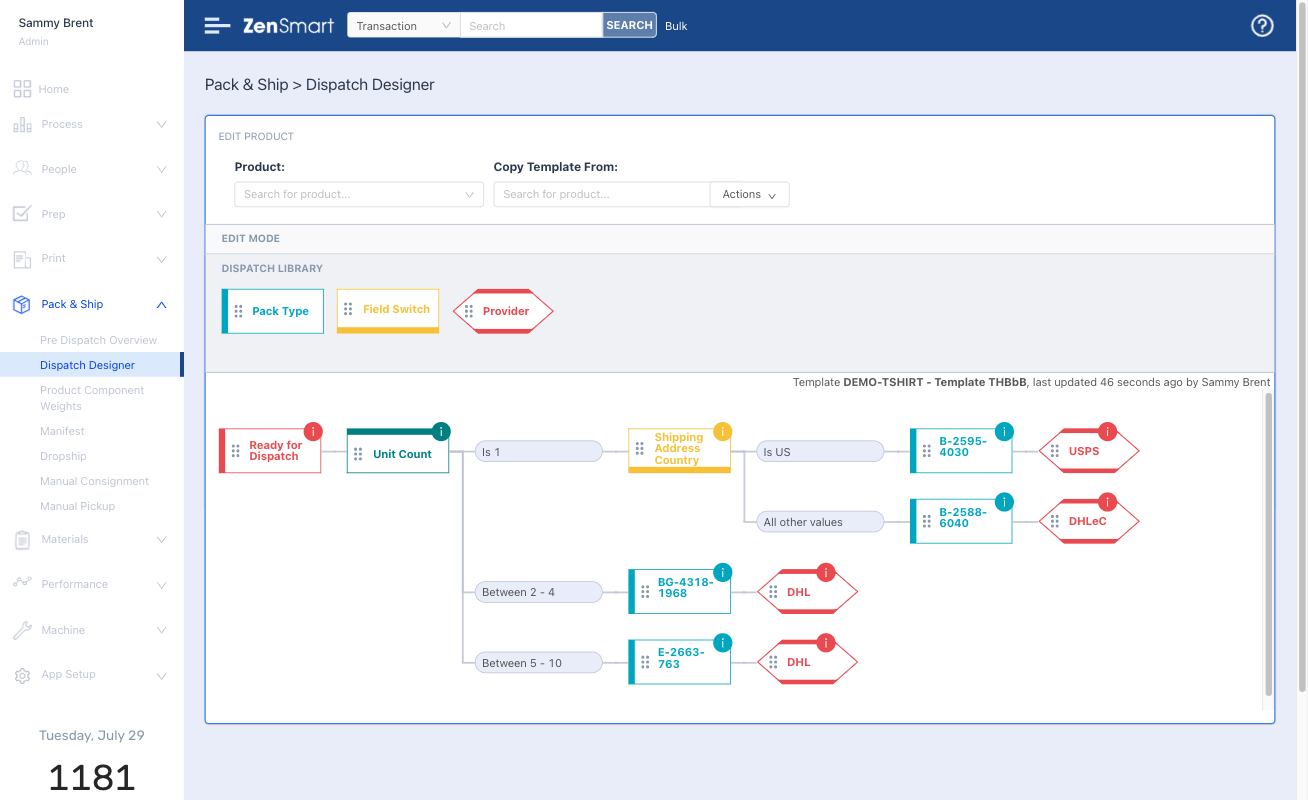
Create smart shipping rules with Dispatch Designer for least cost shipping

Features

  • Rich library of integrations with Fedex, UPS, Royal Mail, DPD, DHL, ShipStation, Shipcaddie and many more
  • Run live reverse auctions to find least cost ship options
  • Automated order inclusion reminders
  • Automated change rules by date

Which means

  • Cut your shipping costs
  • Shipping becomes a 1-scan operation – no knowledge required just automated business rules followed
  • Cut labor costs
  • Onboard new staff fast

Every scan, every process creates data. Data that defines the who, what, where and when of manufacture.

It provides the foundation for incredible insight, insight to solve problems, insight to take your business to the next level, insight to drive profit

Sophisticated reporting provides deep insight

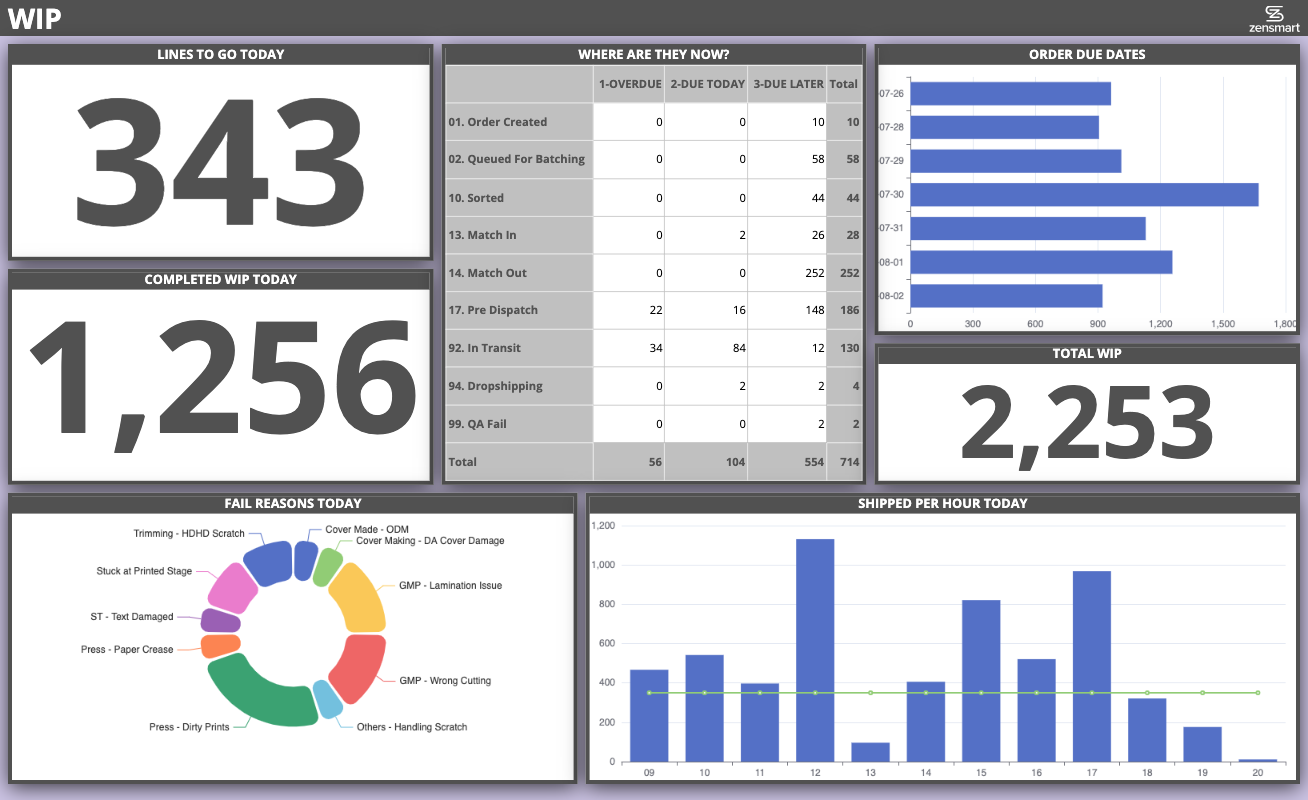
Beautiful team dashboards keep everyone informed

Features

  • Easy to modify – make relevant dashboards even for small teams in your business
  • Optimized for cheap web-tv’s
  • Automatically refresh – everyone gets the latest data

Which means

  • Keeps everyone continuously informed
  • Powerful impact on culture
  • Enables management by walking around

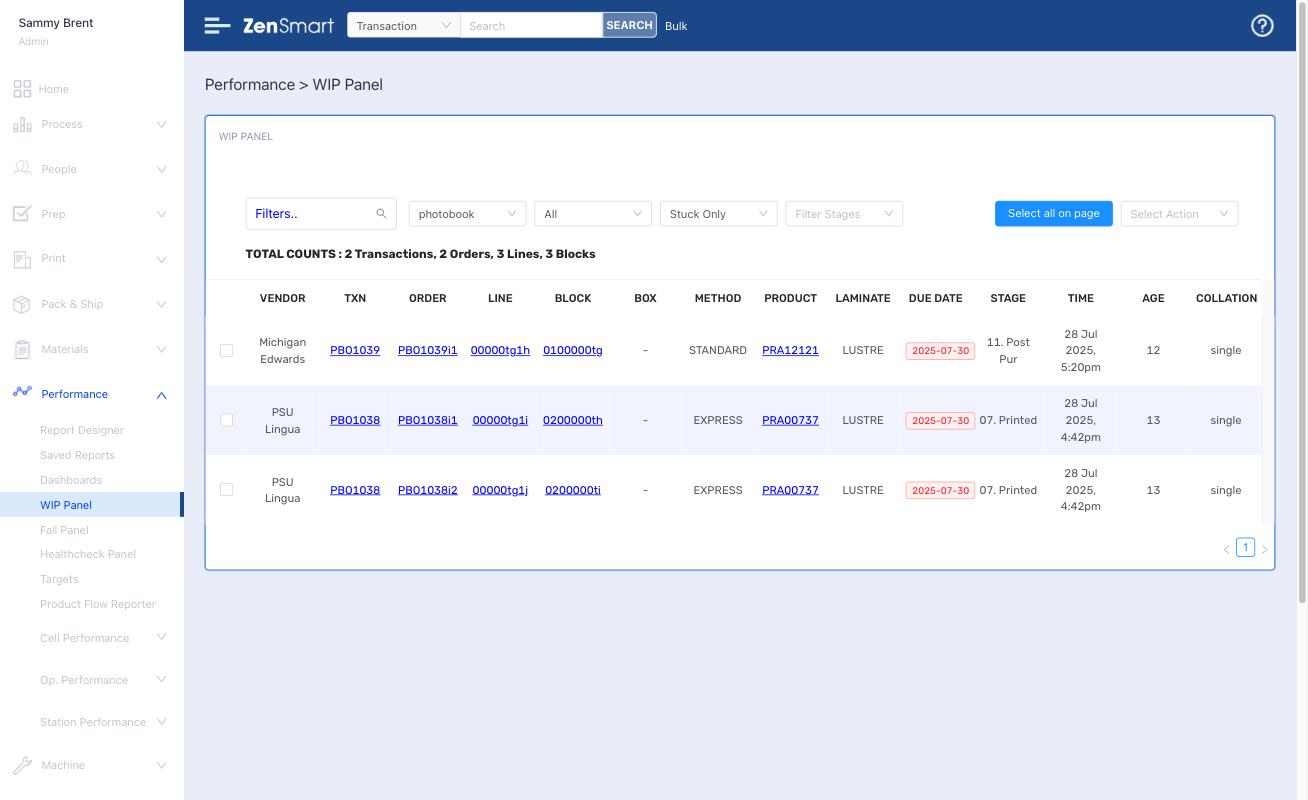
Tailored WIP and 'Stuck' views enable every order to be controlled

Features

  • Powerful view of everything in production
  • Filter for different products or attributes, instantly see what is overdue and due today
  • Filter for items “stuck” taking too long at any workflow stage

Which means

  • Total performance oversight
  • Never let an item go over service level
  • Cut your costs and keep your customers happier
  • Outperform your competition

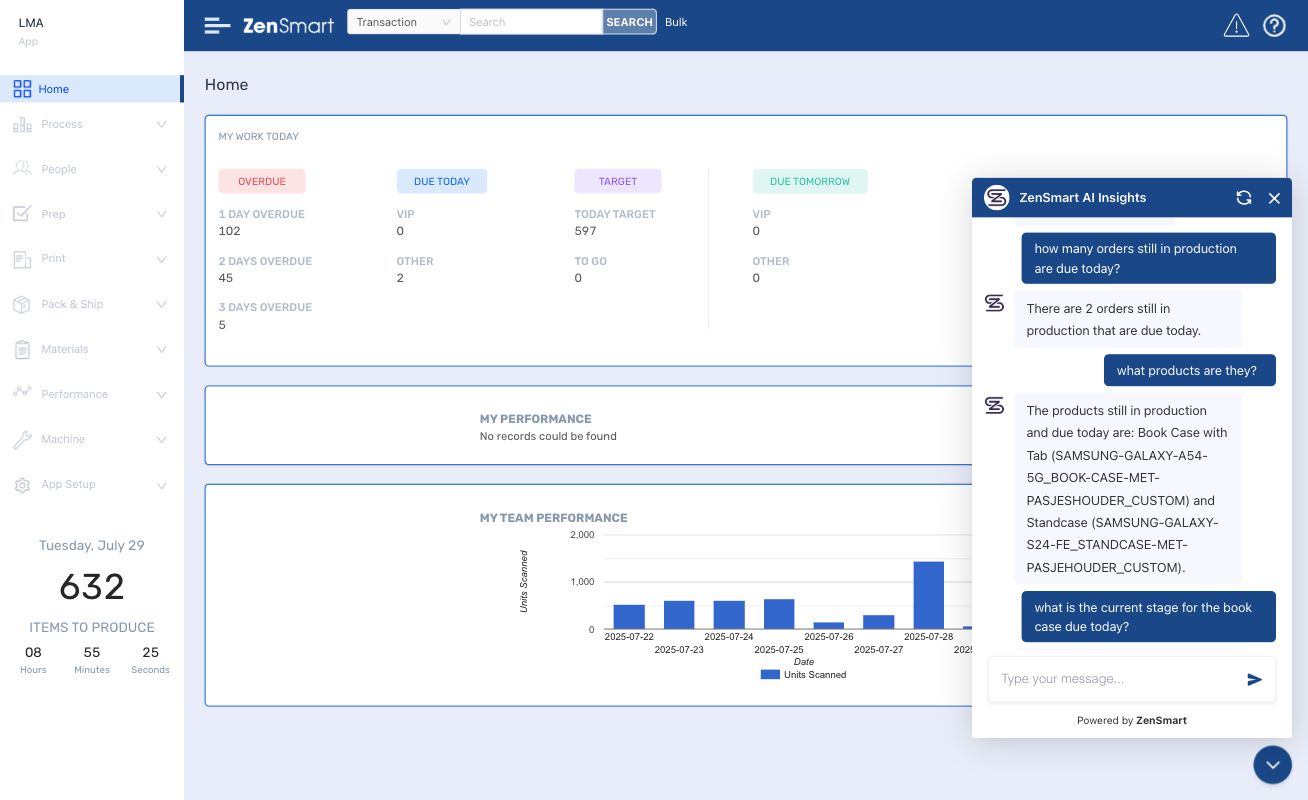
Have the answers at your finger tips with AI-Insight

Features

  • AI powered chatbot
  • Ask “any” question – questions about people, VIPs, SLA performance, machine downtime – anything at all
  • Fully conversational

Which means

  • Instant access to the info you have to know about
  • Easy to use – don’t build a report – just ask a question

FAQ

How does ZenSmart handle multiple apparel decoration workflows in the one facility such as DTF, DTG, and screen printing?

It’s a default part of the platform to be able to handle all these workflows. It’s one of the reasons that ZenSmart exists to provide a single unified production method.  You have flexibility to move work between different printing methods. For example, if you have downtime on your Kornit Atlas, you can swap the work all just in time to DTF (if your configured workflow rules permit it).  

Yes it can, it’s another important feature of the system enabling Apparel Deco sites to move to multi-deco products. You can define products with multiple different decoration types. For example embroidery on a pocket, screen printed front and a DTF print on the rear. ZenSmart manages all the artwork and work orders and instructs movements of the components of the order to ensure elegant flow of the work in the factory.

It’s all done by scanning Order or Line Level barcodes that are automatically generated by ZenSmart. An operator opens the Quality App inside ZenSmart, scans an item, selects why they are failing it and the failed item is automatically routed back into Queuing, Batching and Printing to make sure you remain compliant with your SLA’s.

ZenSmart provides a range of integrations with well known platforms in the apparel industry including Printavo, Deconetwork, Pressero, Shopify, Customily, ShipStation, Cin7, OrderDesk, Gooten, Cloudprinter and Printify to name a few. Contact us to discuss your specific integration requirements.

Many!! Significant costs are removed by automating movement of items between process stages driven by your business rules. We typically take cost out of the following stages of your processes – Order retrieval, File retrieval, Order validation, grouping orders for production, Batching (also known as ganging), Press submission, Order matching, Accessorizing and Shipping.

Find out how ZenSmart can create a smart, flexible manufacturing automation outcome for your business with big reduction to your costs.... or just get some advice!

Let's Talk 🙂

Whether you’re just exploring automation, looking for advice, or ready to book a ZenSmart appointment – we’re always up for a chat. Reach out and let’s talk.

Our Purpose

We have delivered print on demand automation solutions that have made a profound difference to some of the largest and most diverse factories in the world. Our vision is to make this capability available to all print on demand sites, from photo to merchandise, apparel to giftware – and sites from big to small, without the big up-front price tag. Your success will be our success.

Our details

Pictureworks Group Pty Ltd
ABN 28 119 011 933
trading as ZenSmart and ZenWorks LLC, a Delaware Corporation

Head Office:
Level 2 / 696 Bourke Street
Melbourne VIC 3000
AUSTRALIA
sales@zensmart.ai

Scroll to Top