
WORKFLOW AUTOMATION
FOR SIGNAGE & DISPLAY
Optimized dye-sub, UV-LED and grand format workflows.
ZenSmart for Signage & Display Production: 7-Step Workflow Automation
Signage and display manufacturing juggles thousands of SKUs, custom work and a wide variety of substrates. Costly inventory, material shortages, and the sheer diversity of customer choice means that product and manufacturing costs can spiral fast.
ZenSmart brings structure to both custom and standardized signage workflows. It validates files, automates routing by substrate, and tracks every job to delivery. From vinyl to fabric and aluminum, from print to shipping—ZenSmart keeps teams aligned, jobs moving, and promises kept. Clarity. Control. Built for complexity.
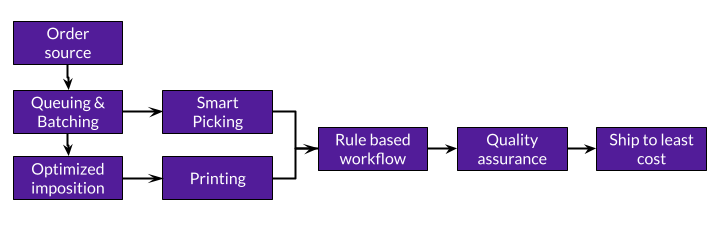
7-step automation
- Order intake from 40+ sources
- Smart queueing from MIS and e-commerce
- Auto batching & printing with pick lists
- Smart layout, imposition & cut layers
- Barcode-driven production for wide and grand format, DTF, dye-sublimation and UV-LED
- Quality control with auto reprint & cost track
- Ship with least-cost automation
Connect to any MIS or any industry leading e-commerce source
Fast implementation of existing order sources and addition of new order sources
Full bill of materials for all your orders
Keep tight control of unit costs and achieve powerful insight
Define custom cut paths inside impositions or use RIPs for tight nesting
Totally automate print and cut workflows
Full bill of materials with consumption tracking and re-order alerts
Get automated alerts when your consumption reaches your trigger stock levels
Job sheets + matching thermal label tickets keep every job identified & tracked
Banish production black holes and understand where every unit of production is located at all times
Ship to least cost driven by powerful ship rules you control
Intelligently select ship option-speed of service combinations all with a simple barcode scan
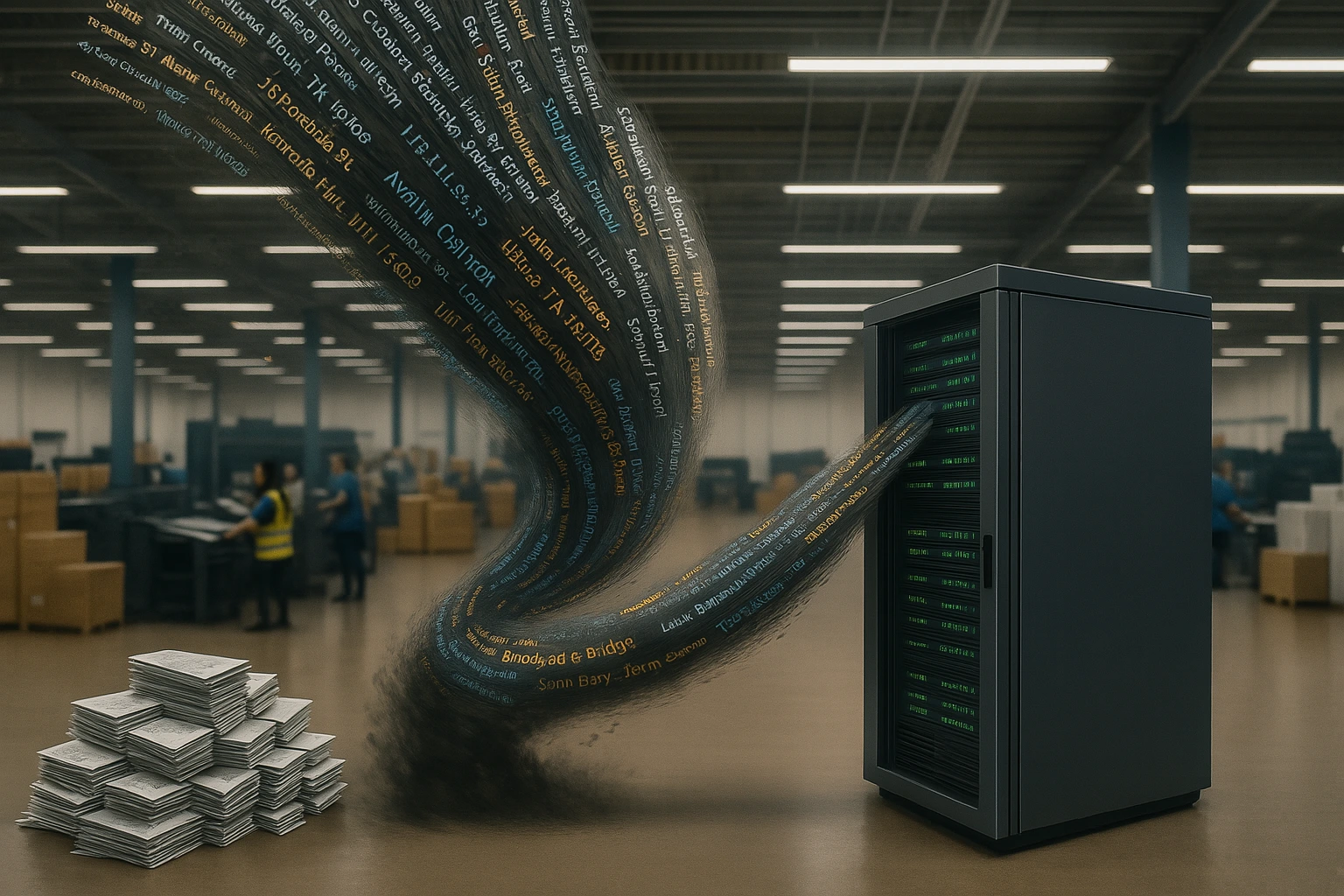
ZenSmart Signage How it works
Industry specific features and functions created to power your business forward
1
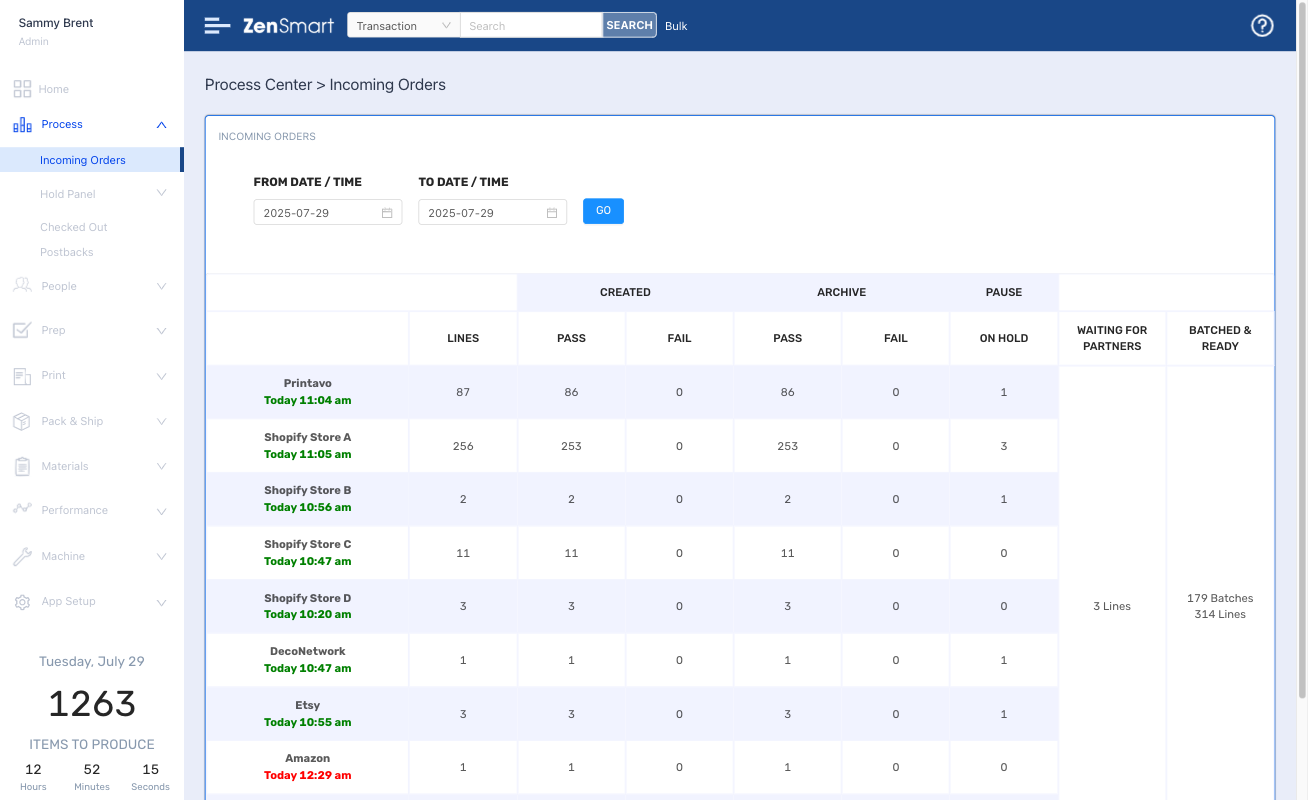
Your orders are automatically pulled from your MIS or any combination of the leading e-commerce and web to print platforms
Features
- ZenSmart AI-Start connects to your MIS or other order source and automatically imports, synchronizes and connects products to how you manufacture
- Shopify, ShipStation, WooCommerce, BigCommerce, Amazon, Etsy, Printify, Gooten, Cloudprinter and many more all integrated and ready to go
- Automated processing of all orders and standardizing
- Unlimited store connections
Which means
- Get started in as little as 1-day
- Automatically onboard all your products – go live fast
- Build new revenue streams & add new order sources (easily)
- Drive down cost
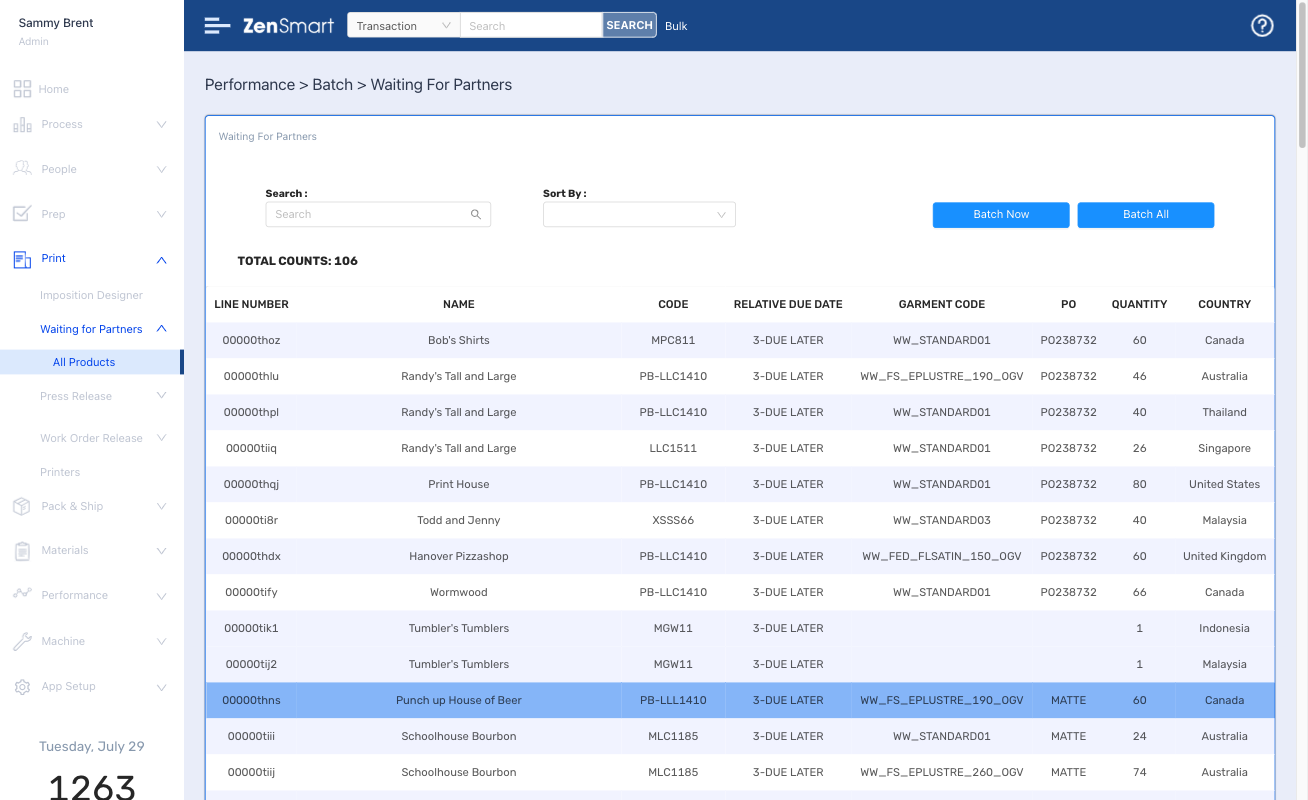
All signage and display orders queue according to your queue rules. Queues close to form batches - automatically grouping items that should be manufactured together
2
Features
- Automated queuing
- Total control of your queues
- Make changes with a single click
Which means
- Your platform and you are in control
- Better grouping of work means higher efficiency and lower cost
3
From banners to signs, fabric to metallic prints - orders are imposed using 'your' recipes. Add cut marks, text, barcodes - whatever you need
Features
- Sign, Canvas or Print – design any imposition recipe
- Option for ZenSmart or RIP nesting
- Add cut layers to your imposition for Zund, Imaging Solutions, Esko, Aristo, Hunkeler, Tecnau and many others
- Option for job sheets, barcoded items and/or co-printed thermal labels – all defined in your recipes
Which means
- Seamless imposition means lower pre-press costs
- Remove labor for file preparation
- Co-printed thermal labels or barcoded work means perfect job identification
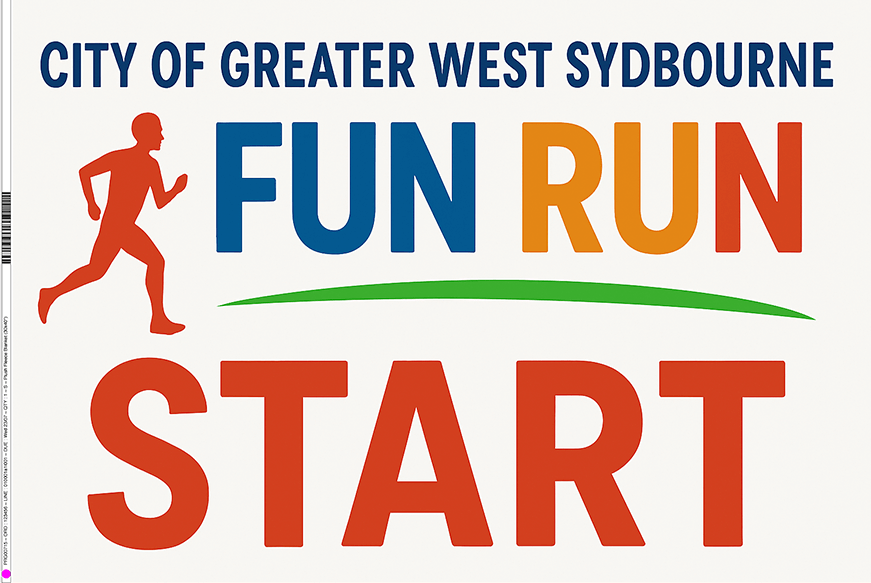
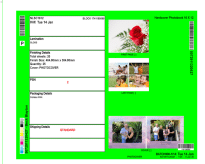
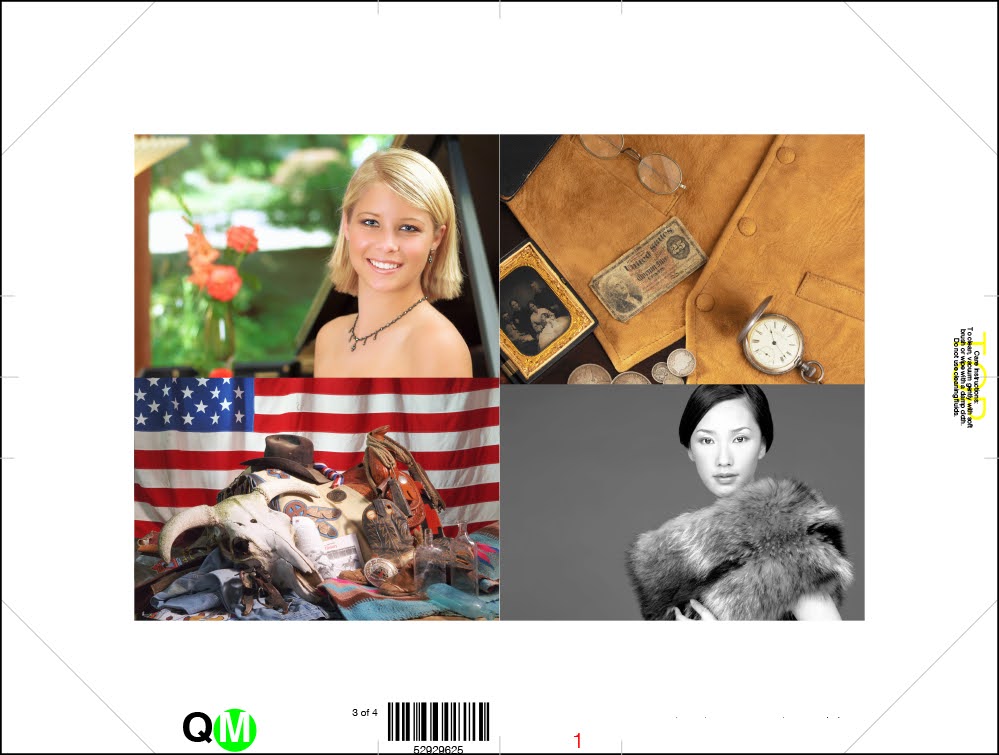
Smart batches are automatically created, all controlled by your rules. Send to any press and finishing workflow.
4
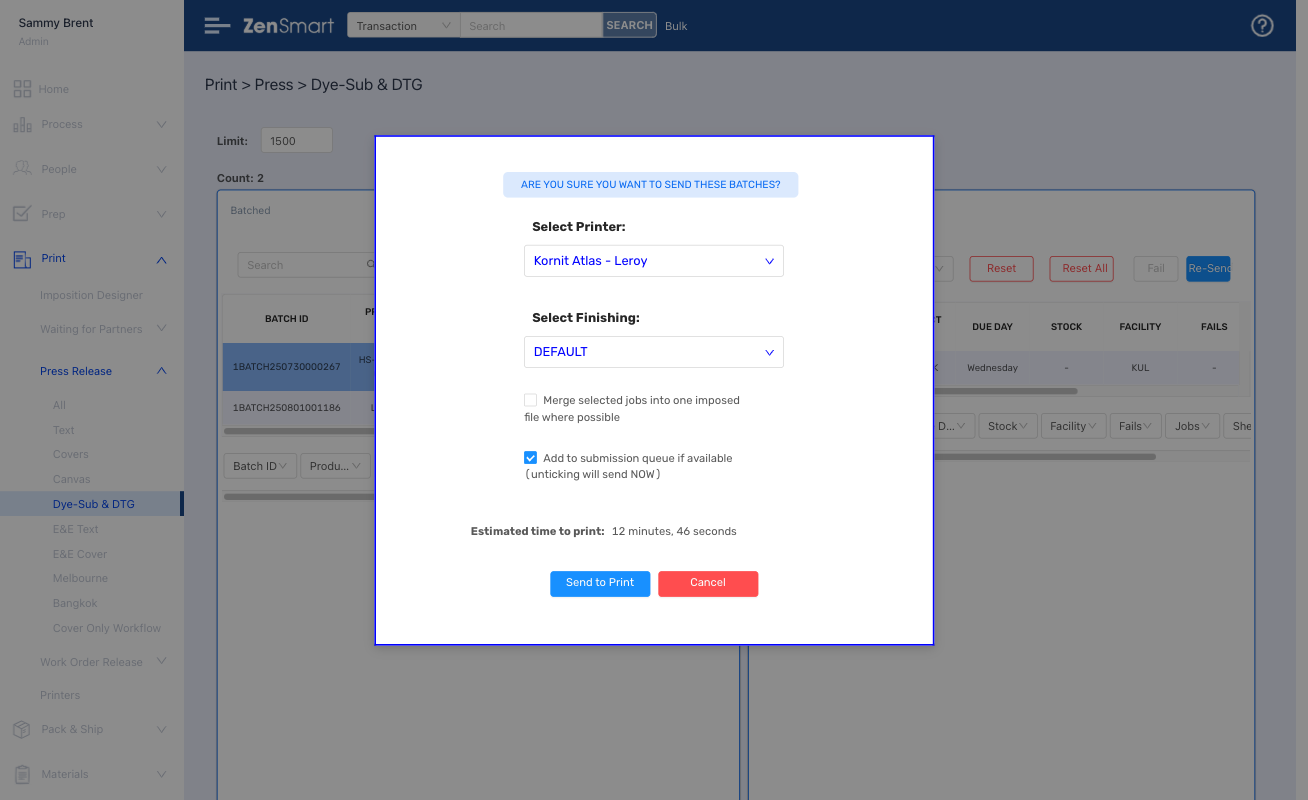
Features
- Batches are formed automatically driven by time, substrate, quantity or other rules to form perfect batches
- Vinyl, aluminum, corflute, acrylic, canvas, banners or boards – all substrate options can batch by their own rules
- Any press is supported – from Wide & Grand Format to UV, Screen, DTG/DTF – all via hot folder or JDF
- Easily swap work between presses
- When batches are closed aligned picking lists, thermal labels and work tickets are created – all automatically
Which means
- Swap work between press type (controlled by substrate/job rules) with a single click
- Prevent wrong workflows being selected
- Cut labor costs
5
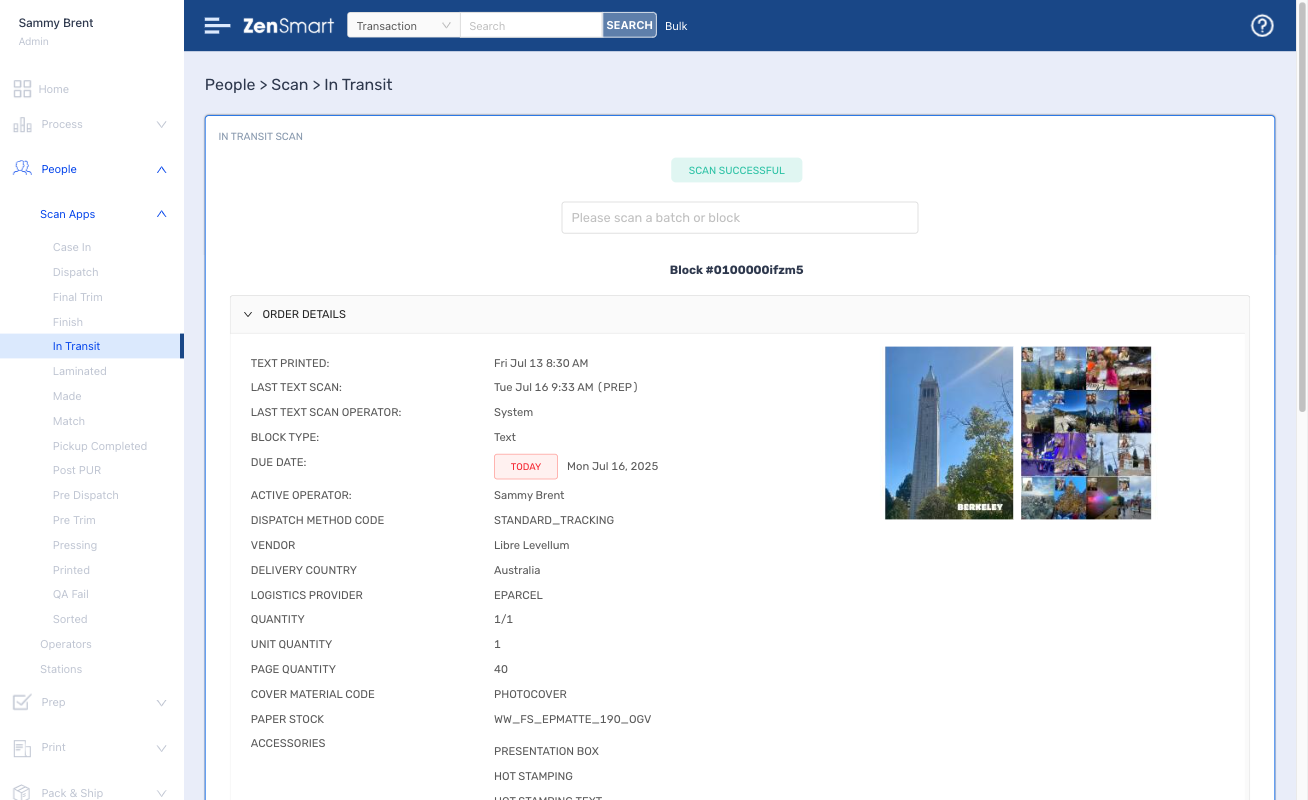
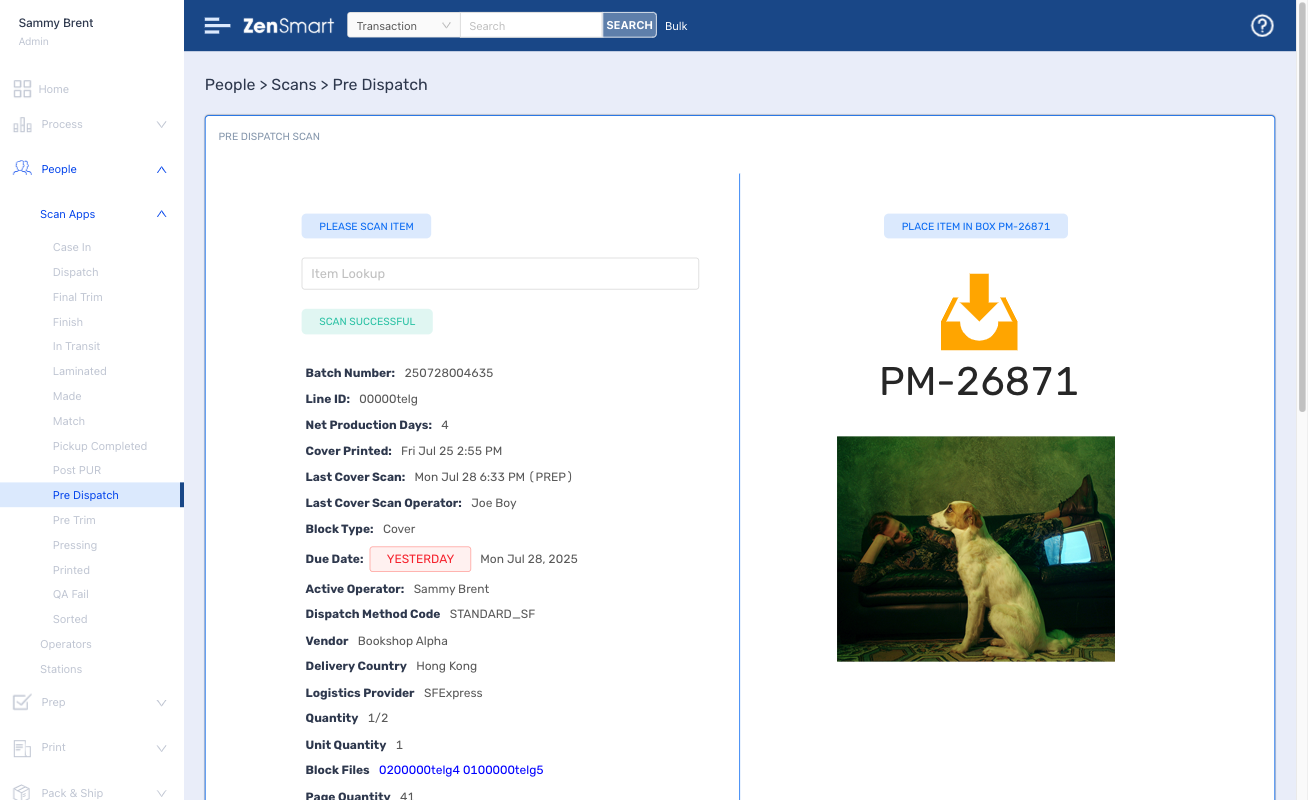
After print, your work automatically flows through the factory. Every item, every action - routed, tracked and visible
Features
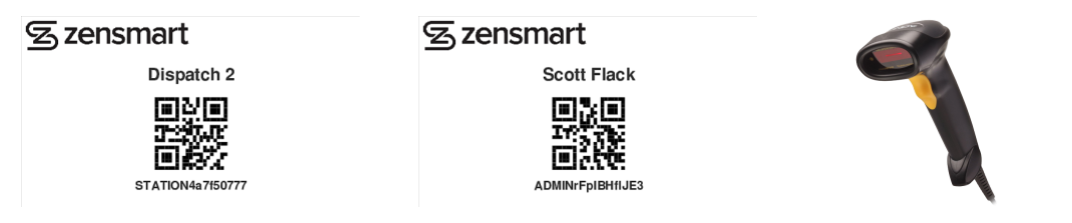
- Simple scan apps run on almost any device
- Staff (or machines) scan at each process stage
- Clear on-screen instructions
Which means
- Every sign, every job is 100% visible at every stage
- No guessing, every job is clearly instructed
- Staff and machine performance is totally tracked
- Drive down cost
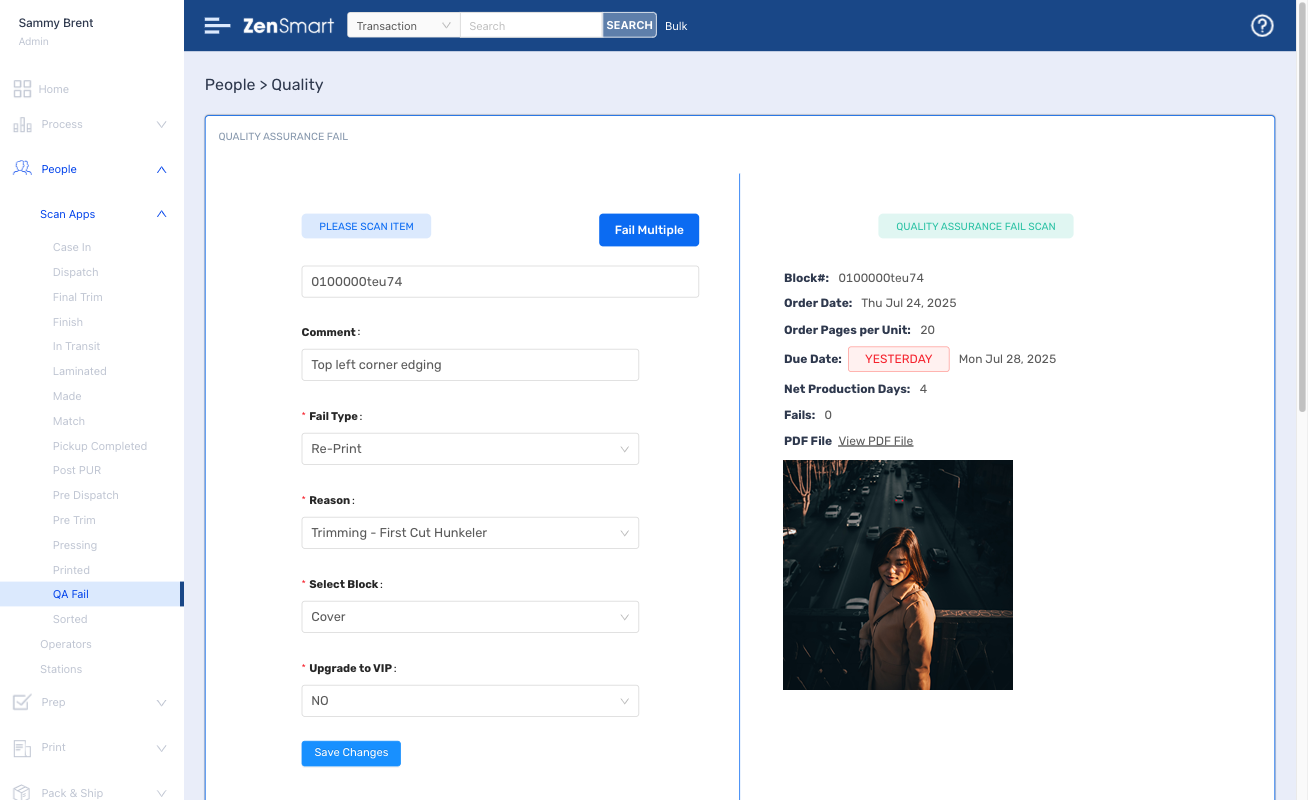
Quality issues? No problems. Send to reprint with a click, 100% tracked, 100% accountable
6
Features
- A simple barcode scan fails any defective item
- Failed items auto-batch according to your rules
- Machine and person responsibility for all fails are clearly visible
- Set budgetary limits for fails
Which means
- Strictly control fail levels
- Find the source of fails easily
- Improve procedures to cut costs
7
Ship to least cost - all driven by your shipping rules
Features
- Big library of existing carrier integrations
- Least cost live auctions
- Pre-manifesting for super fast shipping
- Scan to ship – controlled by your automated ship rules
Which means
- Cut your shipping costs
- Ensure ship team productivity
- Clearly see status of orders by due date
Setup with ease, administer with minimal effort
Part of running a great workflow automation platform is controlling how you manufacture and how you adapt to changes and innovation in your organization.
ZenSmart has a sophisticated set of tools and easy to use interfaces to make implementation easy and then adapt your implementation over time.
Connect your order source and let AI-Start onboard your products
Features
- Learns all your products, product meta-data from any of the existing order integrations (Shopify, PrintIQ, Cin7, Tharsten and many more)
- Adds all your SKU-product workflow combinations automatically
- Enables super-fast addition of any new proprietary order source
Which means
- Route work automatically
- Reduce labor costs
- Make changes to workflow with no headache
Use the pre-configured workflows or add new ones by drag and drop
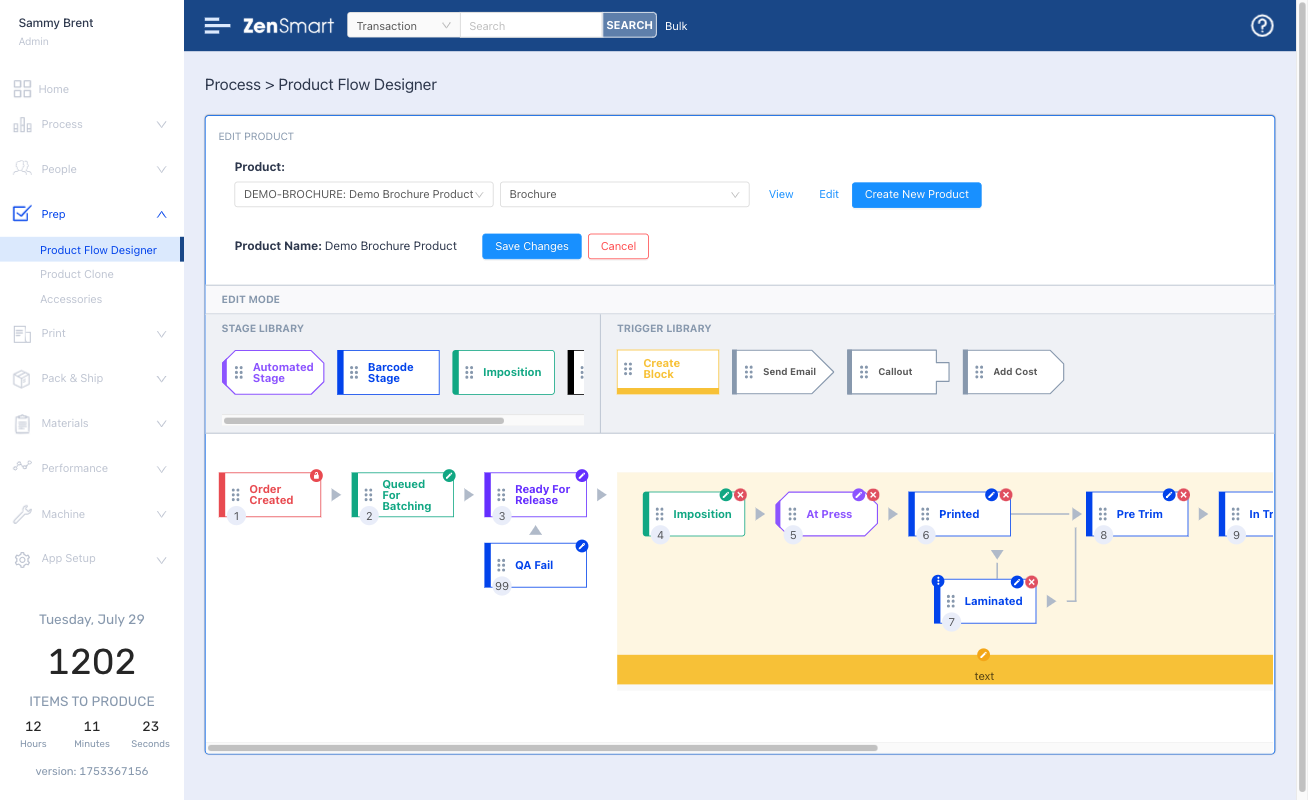
Features
- Create new product workflows with just a few clicks
- Amend workflows by simple drag and drop
- Dye-Sub, UV-LED, Screen to Film workflows pre-loaded
- Automatically queue and batch to different production workflows with your business rules
- Switch jobs from Dye-Sub to UV-LED and other combinations with a single click
Which means
- Route work automatically
- Reduce labor costs
- Make changes to workflow with no headaches
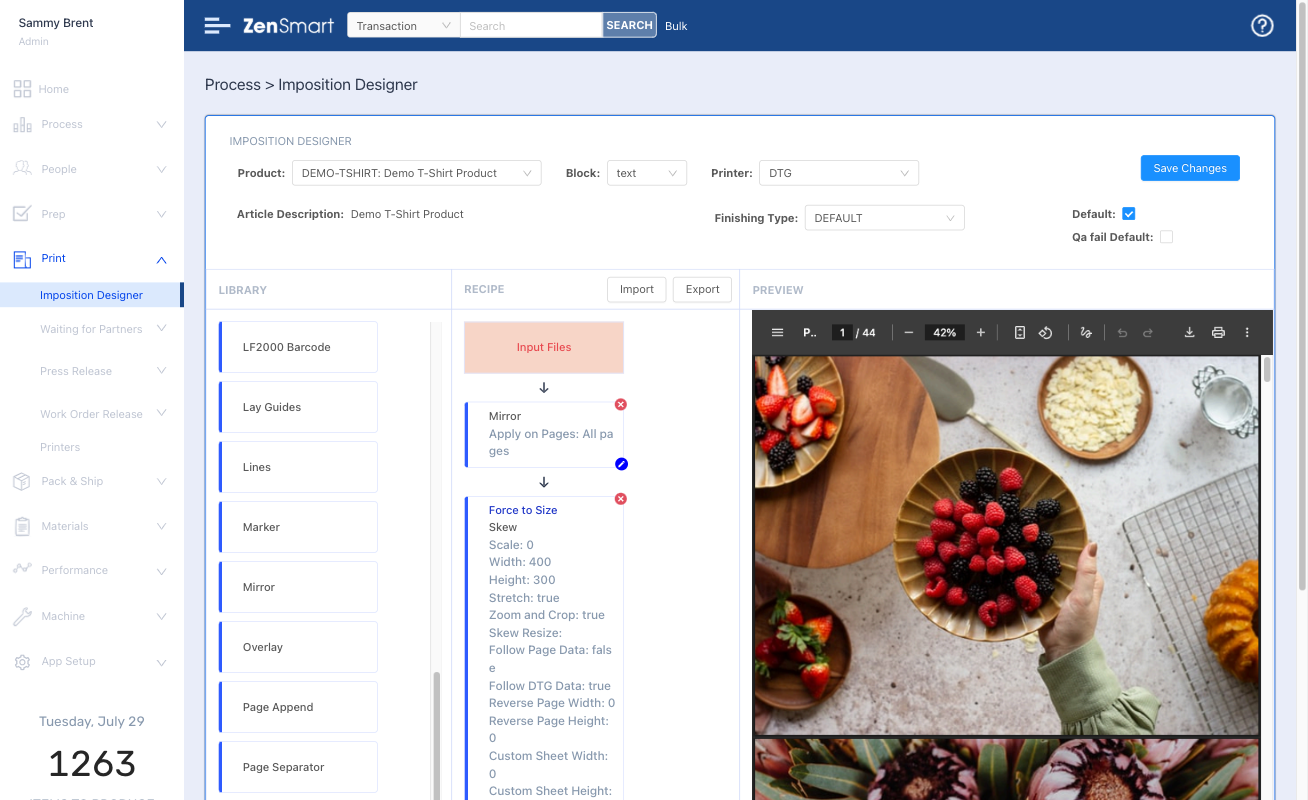
No need to send to an external imposition solution with ZenSmart Imposition Designer
Features
- Design any page layout
- Build your recipes for each production type
- Auto generate batch and job sheets
Which means
- No need for an external imposition app
- Automate directly to Wide and Grand Format devices, dye-sublimation and DTF or Screen-CTS workflows
Least cost business rules are easy to define in Ship Designer
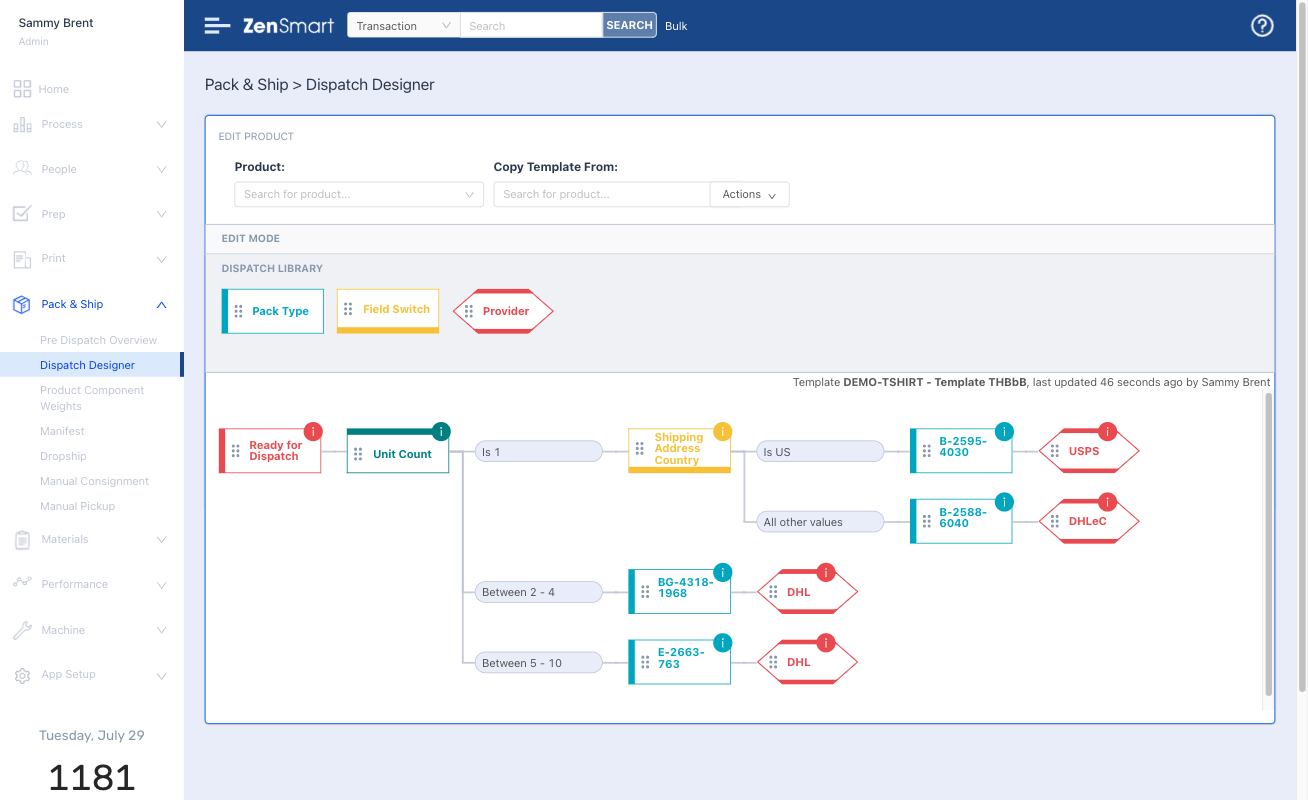
Features
- Rich library of integrations with Fedex, UPS, Royal Mail, DPD, DHL, ShipStation, Shipcaddie and many more
- Run live reverse auctions to find least cost ship options
- Automated order inclusion reminders
- Automated change rules by date
Which means
- Cut your shipping costs
- Shipping becomes a 1-scan operation – no knowledge required just automated business rules followed
- Cut labor costs
- Onboard new staff fast
Every scan, every process creates data. Data that defines the who, what, where and when of manufacture.
It provides the foundation for incredible insight, insight to solve problems, insight to take your business to the next level, insight to drive profit
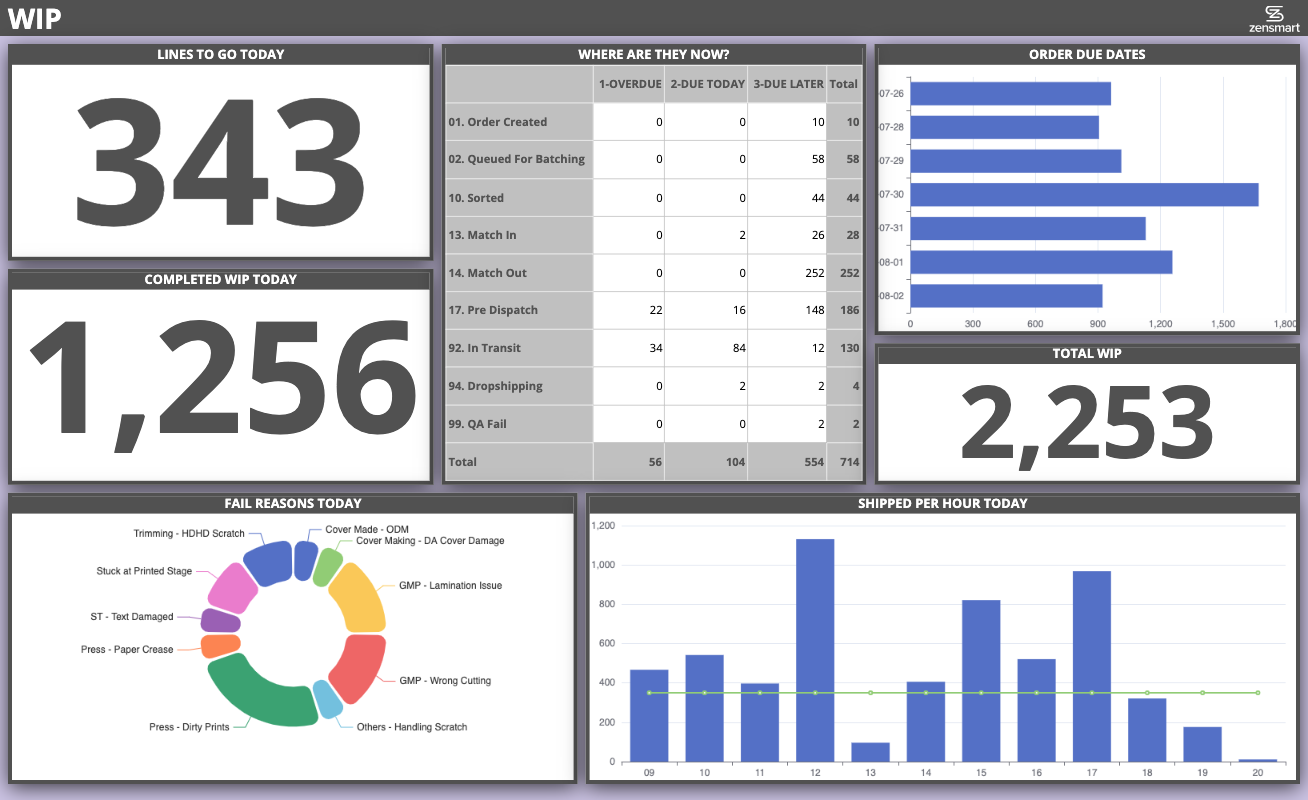
Gain powerful understanding with integrated BI tools
Take team performance to the next level through the power of information
Features
- Easy to modify – make relevant dashboards even for small teams in your business
- Optimized for cheap web-tv’s
- Automatically refresh – everyone gets the latest data
Which means
- Keeps everyone continuously informed
- Powerful impact on culture
- Enables management by walking around
Never let an order miss its deadline with WIP Panel
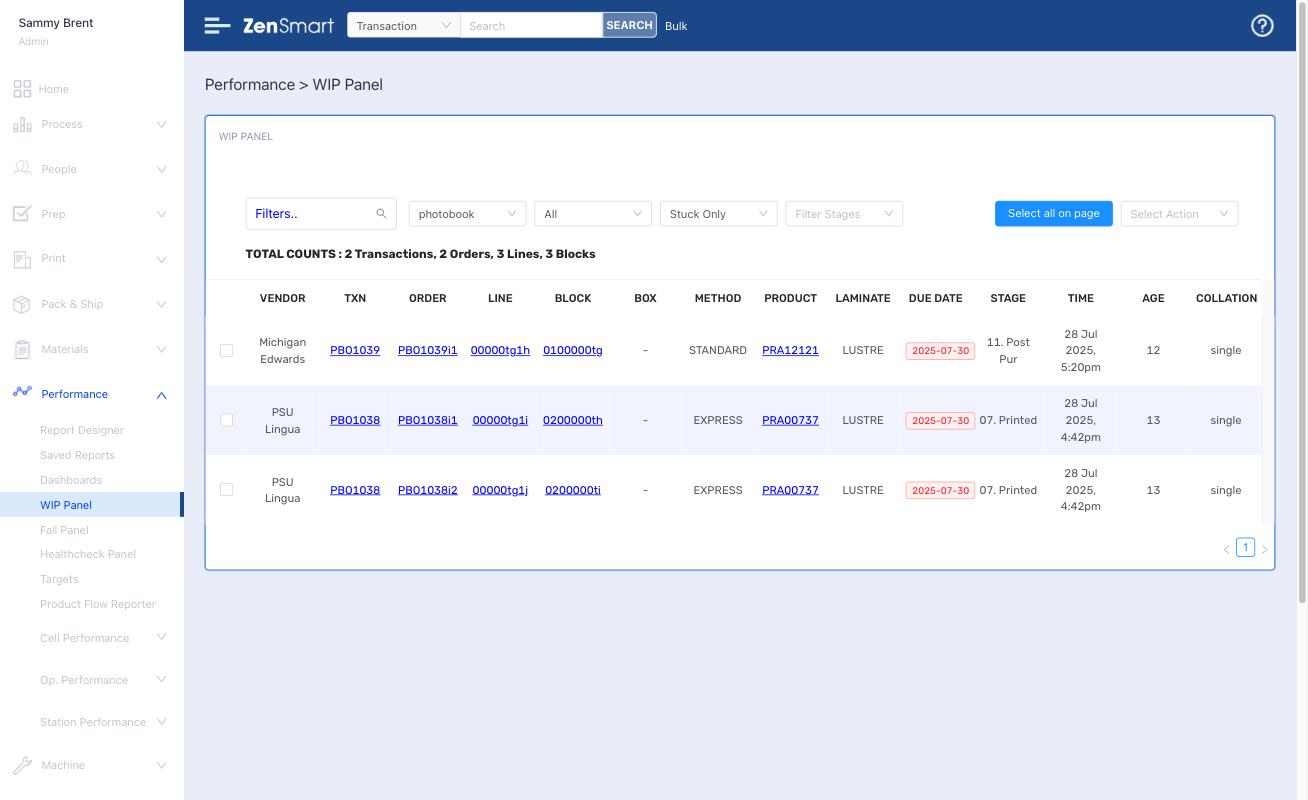
Features
- Powerful view of everything in production
- Filter for different products or attributes, instantly see what is overdue and due today
- Filter for items “stuck” taking too long at any workflow stage
Which means
- Total performance oversight
- Never let an item go over service level
- Cut your costs and keep your customers happier
- Outperform your competition
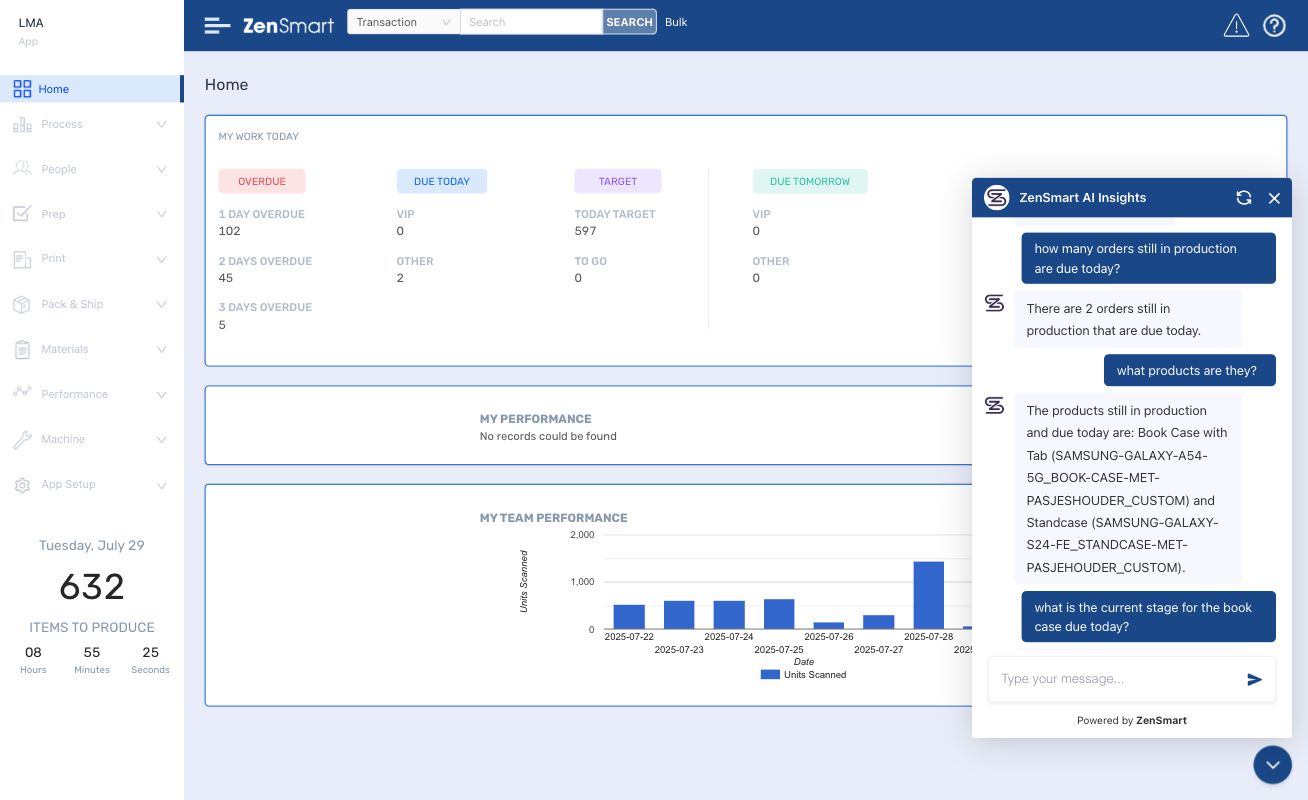
Have the answers at your fingertips with AI-Insight
Features
- AI powered chatbot
- Ask “any” question – questions about people, VIPs, SLA performance, machine downtime – anything at all
- Fully conversational
Which means
- Instant access to the info you have to know about
- Easy to use – don’t build a report – just ask a question
FAQ
How does ZenSmart support the automation of high-SKU signage production like banners, flags, and safety signs?
Whether its 200 or 2 million SKU’s – ZenSmart manages the complexity of SKU’s with additional product options. ZenSmart will obey all the meta data that is attached against your order to apply the rules and route through manufacturing the components to make sure that order perfection is the outcome.
What capabilities does ZenSmart offer for managing variable substrates and cutting specifications?
Can ZenSmart streamline print and finishing workflows for both roll-fed and rigid signage?
Yes it can, every product code is defined by the methods that can be used to print that product code. ZenSmart can route work to any print-finishing workflow combination (provided that makes sense of course). So whether its a wide format printed product or printed on a flatbed UV-LED printer, it makes no difference. Its all configured in your workflow rules.
How does ZenSmart reduce waste and damage in signage handling and logistics?
Because every unit of production is accountable. ZenSmart tracks every item through every workflow stage. If an item needs to be failed for quality, it is barcode scanned and a fail reason selected. This ensures the platform knows – who failed the work, why the work was failed, when it was failed and at which workstation. This then provides rich data that the Fail Report uses to provide trend information so you can make informed business decisions.
How does ZenSmart integrate with Zund etc cutters to automate custom signage work?
ZenSmart places cut layers directly in the imposed file or alternatively it can route the artwork directly into the Zund RIP (and many others) for nesting using Zund or other cutters.
Find out how ZenSmart can create a smart, flexible manufacturing automation outcome for your business with big reduction to your costs.... or just get some advice!
Let's Talk 🙂
Whether you’re just exploring automation, looking for advice, or ready to book a ZenSmart appointment – we’re always up for a chat. Reach out and let’s talk.