
WORKFLOW AUTOMATION
FOR COMMERCIAL PRINT
Combine digital, on demand and litho work into one beautifully controlled least cost workflow.
Seamlessly mesh litho, digital & wide format print production
Commercial print continues to diversify, product ranges and finishing options continue to grow whilst average job count is shrinking yet delivery expectations grow. It’s a challenging mix demanding ever more efficient production regardless of whether the job is litho, label, digital or wide format.
ZenSmart Commercial Print is a workflow automation solution that harmonizes manufacturing across any press-finishing workflow and gives you the ability to see actual job cost. It delivers profitable management of both long run and small, complex jobs. Reclaim hours of admin and touch time while delivering faster, more reliable service.
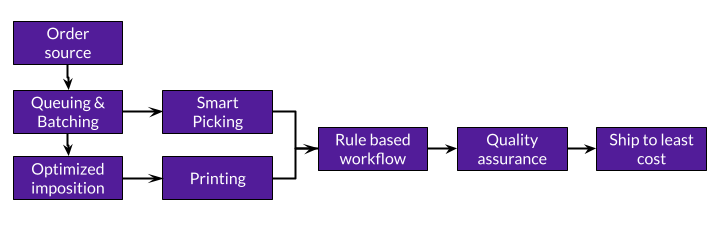
8-step automation
- MIS, ERP intake or e-com store direct connect
- Optimally queue both small & long run jobs
- Auto batch to your rules with automated job separation
- Dynamically impose to CTP, Web Inkjet, B1/B2 or Cut Sheet presses on the fly
- Route by job barcode, check items into virtual storage by job stage
- Barcode scan to trigger automated reprint
- Page level spoil reprint in seconds
- Integrate with inhouse logistic, ship platform or use ZenSmart least cost logic
Connect to any MIS or even direct to customer e-commerce stores
Whether it is PrintIQ or Amazon, PACE or Shopify, ZenSmart can seamlessly pull orders into production.
Swap between Litho and Digital print with a single click
Automate print routing or enable switching of press-finishing workflows over riding default selections
Take the pain out of finishing workflow
Move beyond paper based job bags and go digital with real time digital job sheets. Keep production informed of any late job changes - automatically.
Track cost - spoils and fails, all added to job cost for known job margin
Banish black holes and understand which jobs are earning profit or costing you dearly
Run optimized machine startup, running and shutdown plans to cut your costs
With millions invested in equipment, the fully integrated machine maintenance functions enables the fleet to be cared for to peak profitability.
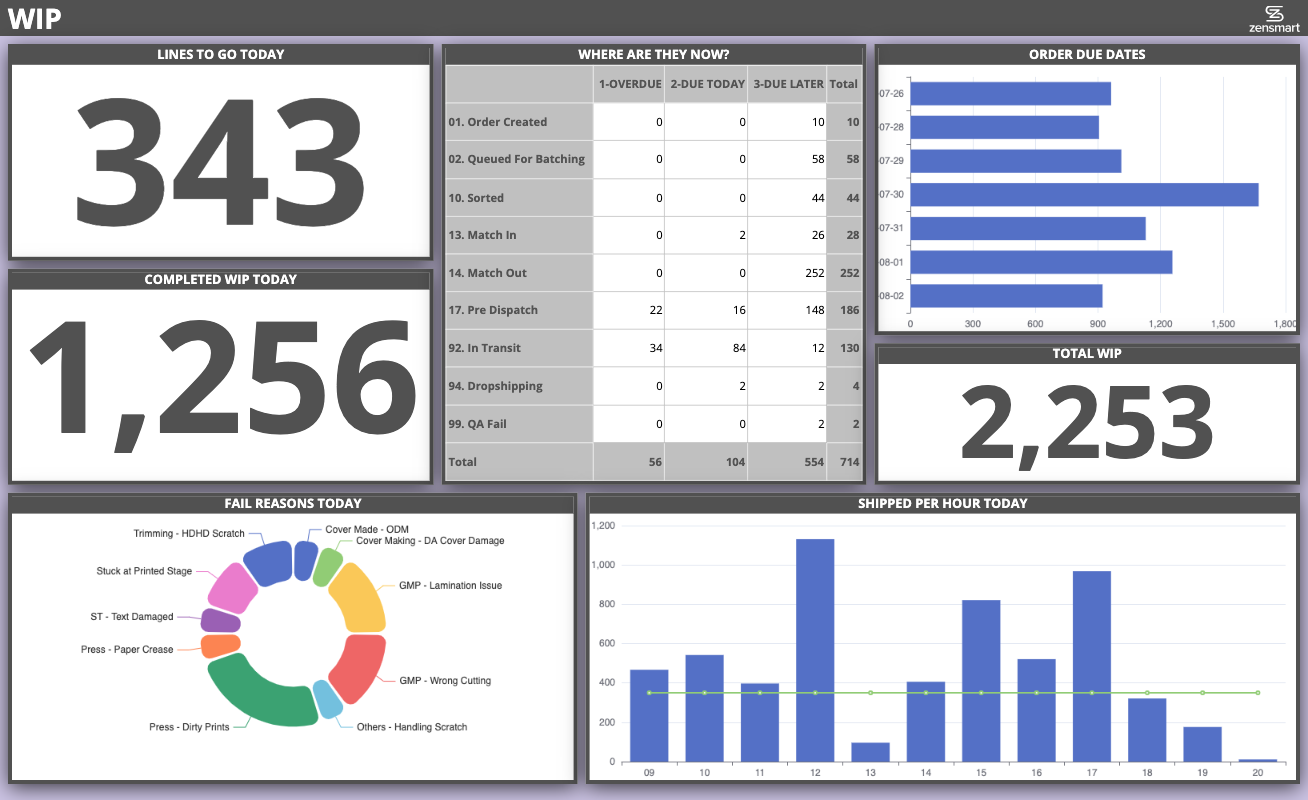
Get total production oversight with real time dashboards
Share real time production targets, performance and feedback with each team from the press room to finishing and all the way to dispatch.
ZenSmart Commercial Print How it works
Solving the big pain points for profitable commercial print production.
1
Drive down pre-press and file management and movement cost
Features
- ZenSmart AI-Start connects to your MIS or other order source and automatically imports, synchronizes and connects products to how you manufacture
- Shopify, ShipStation, WooCommerce, BigCommerce, Amazon, Etsy, Printify, Gooten, Cloudprinter and many more all integrated and ready to go
- Automated processing of all orders and standardizing
- Unlimited store connections
Which means
- Production live in as little as 1 day
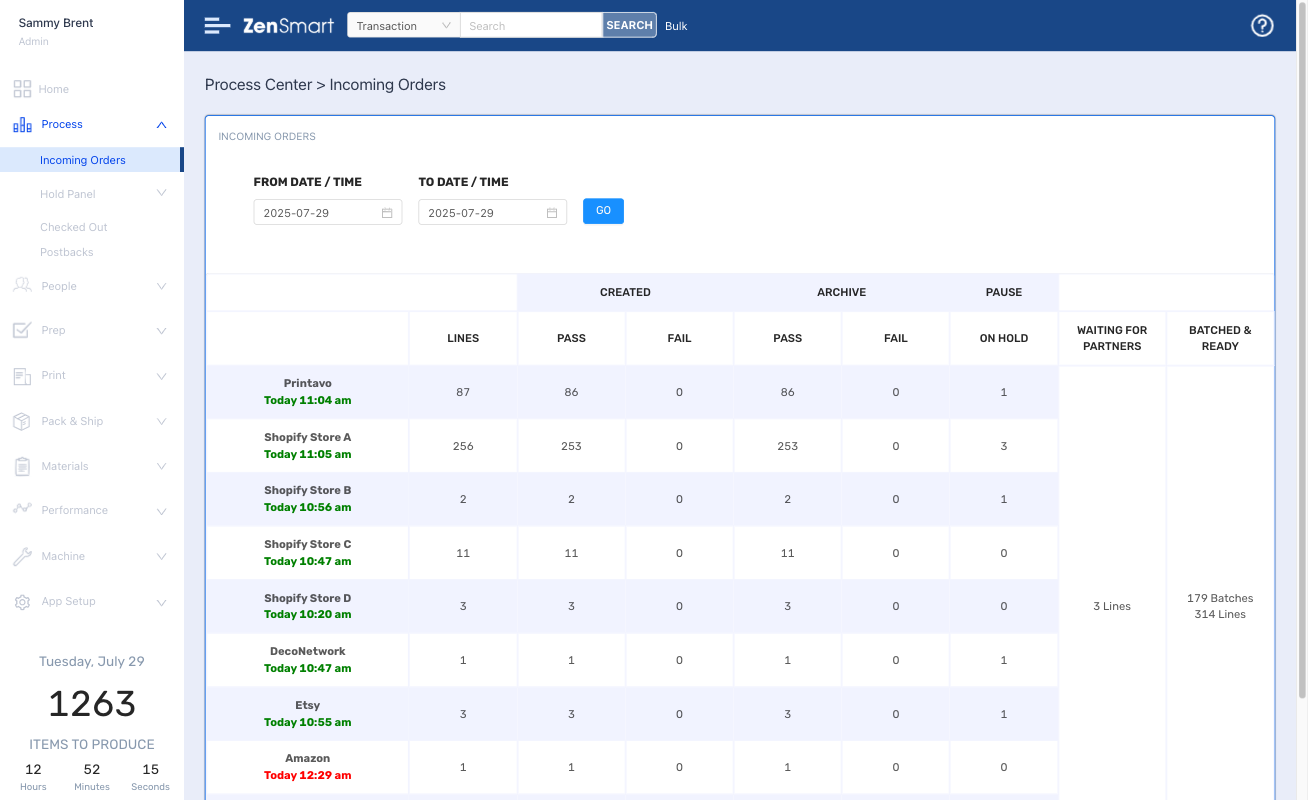



Work auto-queues ready for press release, jobs group automatically which can be printed together
2
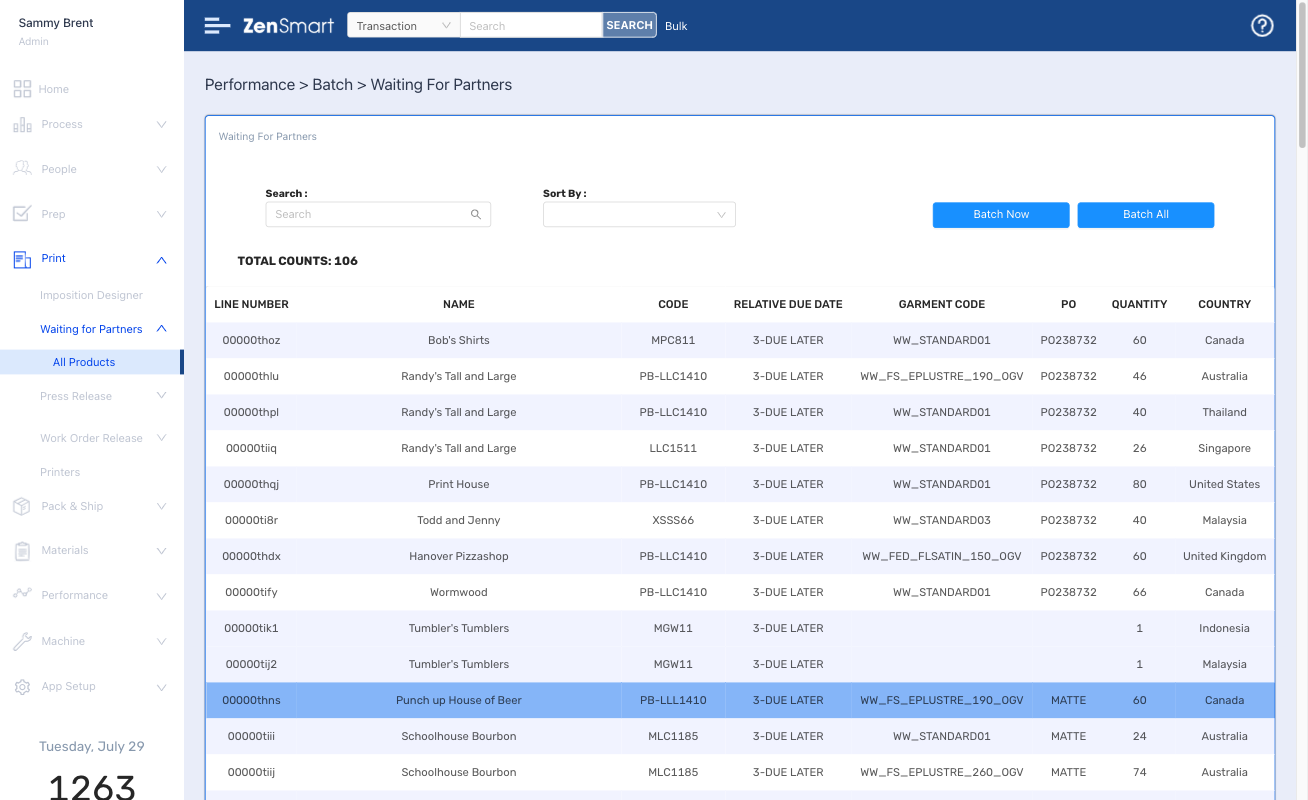
Features
- Automated queuing by product code, due date, substrate, cover type, brand or geography
- Complete control over queuing
- Change is as easy as a click
Which means
- Your platform and you are in control
- Better grouping of work means higher efficiency and lower cost
3
Batch across jobs to enable more efficient print.
Features
- Batches are formed automatically driven by time, substrate, quantity or other rules to form perfect batches
- Vinyl, aluminum, corflute, acrylic, canvas, banners or boards – all substrate options can batch by their own rules
- Any press supported from Wide & Grand Format to Digital Printer, UV to Laser Engraver, Screen & DTG – all via hot folder or JDF
- Easily swap work between presses
- When batches are closed aligned picking lists, thermal labels and work tickets are created – all automatically
Which means
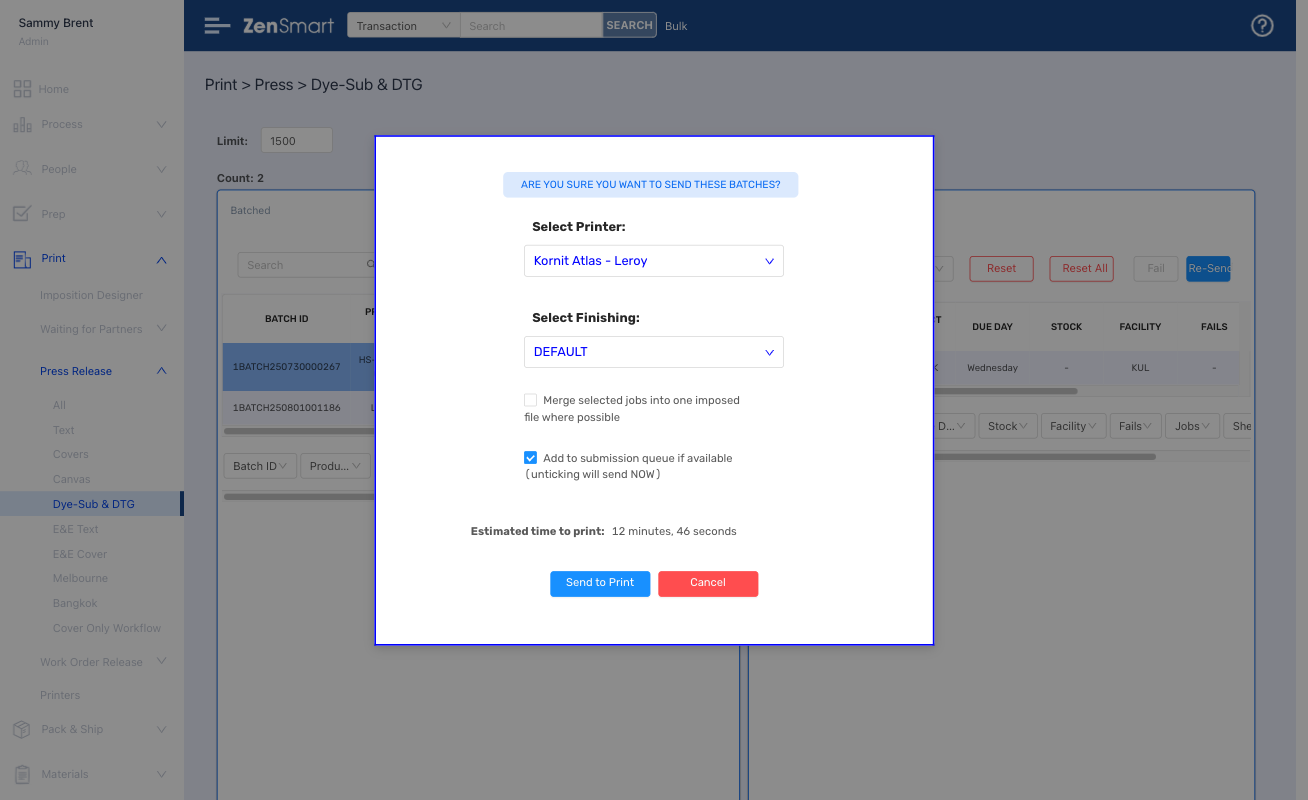
- Swap work between press type (controlled by substrate/job rules) with a single click
- Prevent wrong workflows being selected
- Cut labor costs
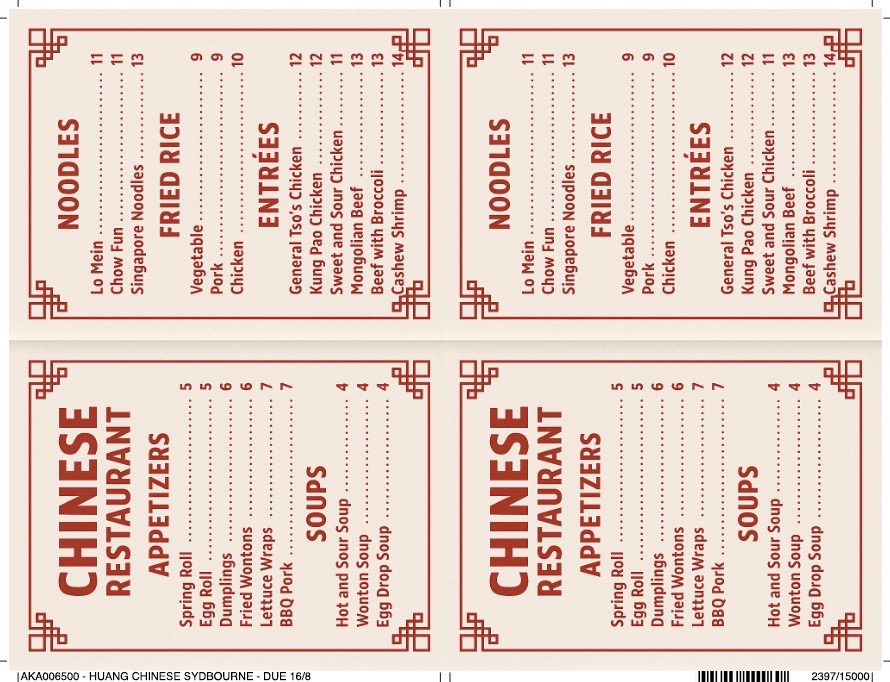
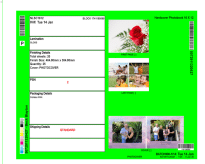
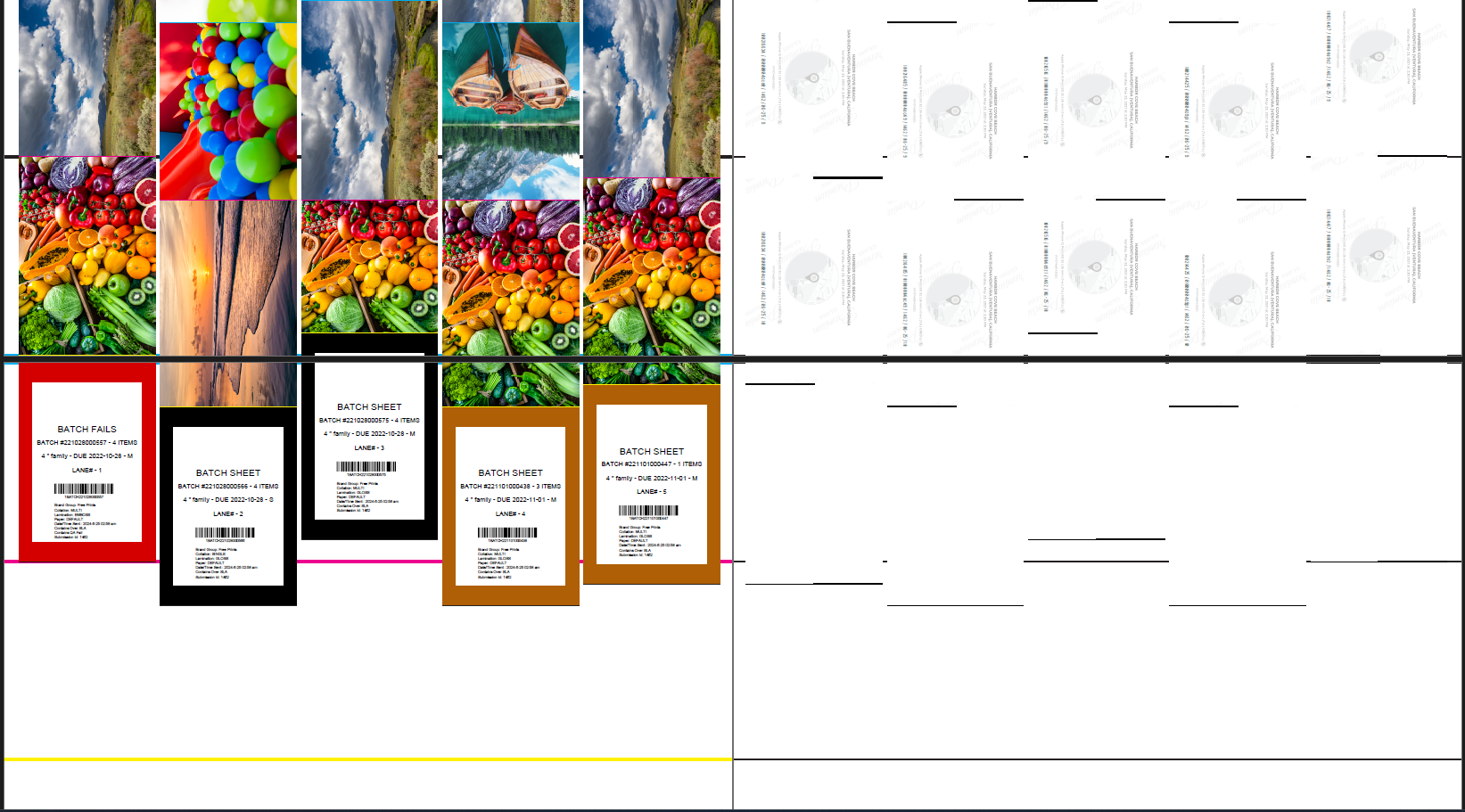
Move work from Litho to Digital and seamlessly manage different finishing options
4
Features
- Create any imposition recipe for any press size and any press type; and combine with any finishing option
- Enables just in time selection of press-finishing option – whether it’s a Heidelberg to Polar Guillotine workflow or an HP Indigo 7250 or PageWide outputting to Tecnau – it’s one click to switch
- Option for smart job sheets with job sheet color logic and rule driven custom instructions
Which means
- Reduce pre-press cost
- Seamless imposition means lower pre-press costs
- Remove labor for file preparation
- Co-printed thermal labels or barcoded work means perfect job identification
5
Move from paper based job bags to barcode driven workflow and real time work instructions.
Features
- At each workflow stage, staff barcode scan to get job instructions and record work
- No more out of date job bag information
Which means
- No job bags with incoherent or out of date information
- Every job is 100% visible at every stage
- No guessing, every job is clearly instructed
- Staff and machine performance is totally tracked
- Drive down cost
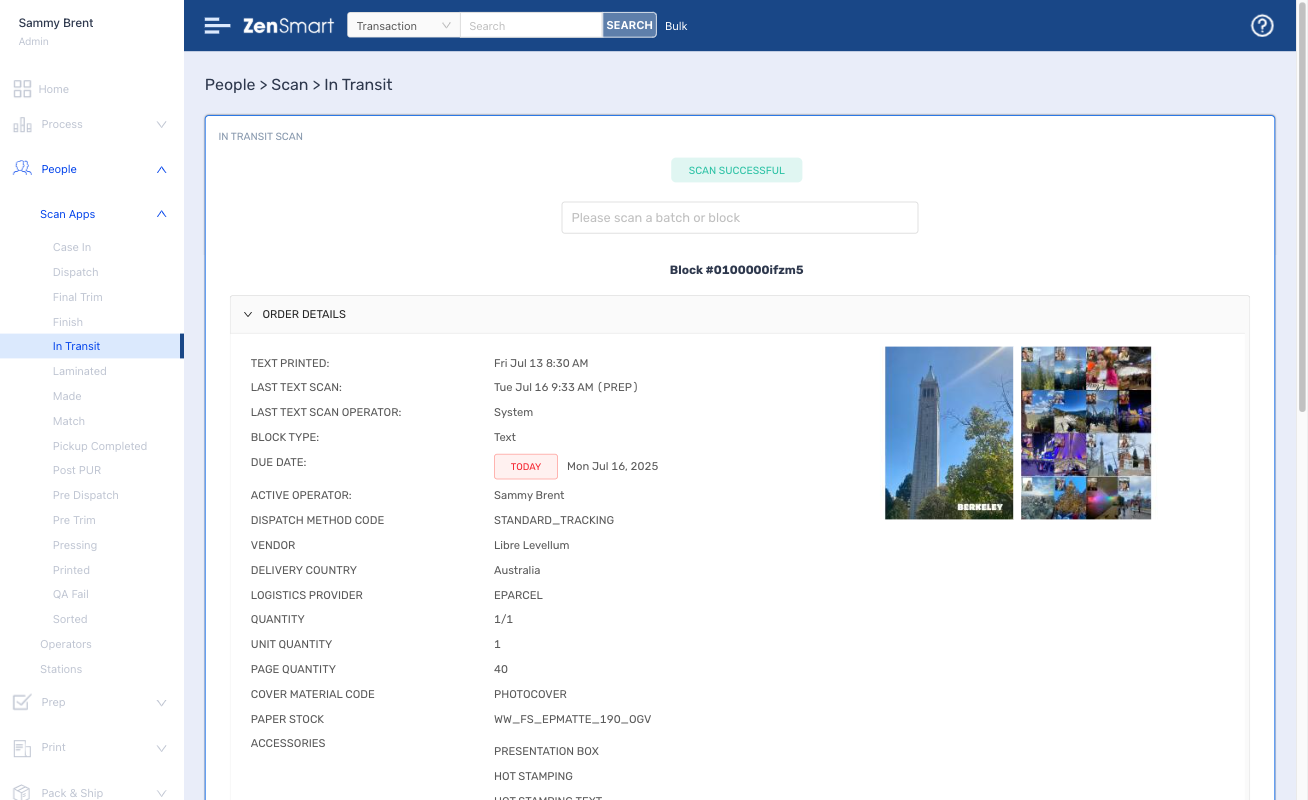
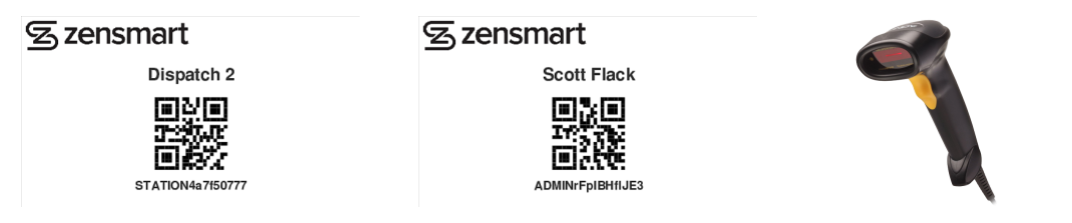
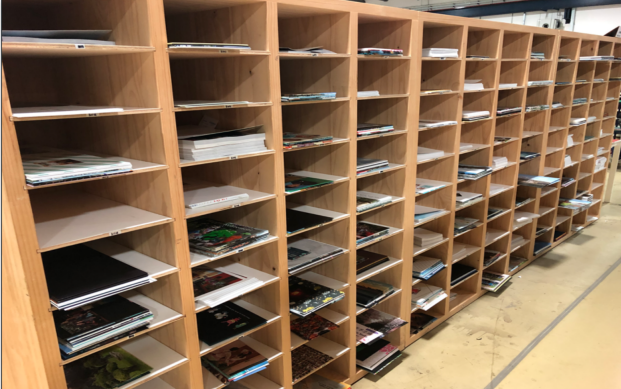
Store work in progress job components in tracked locations
6
Features
- Solve the problem of work not ready to be received at the next workflow stage
- Stage based scan to job storage location
- Physical or virtual job locations
- Simple scan to store
Which means
- No more lost job components
- Run reports on job location
7
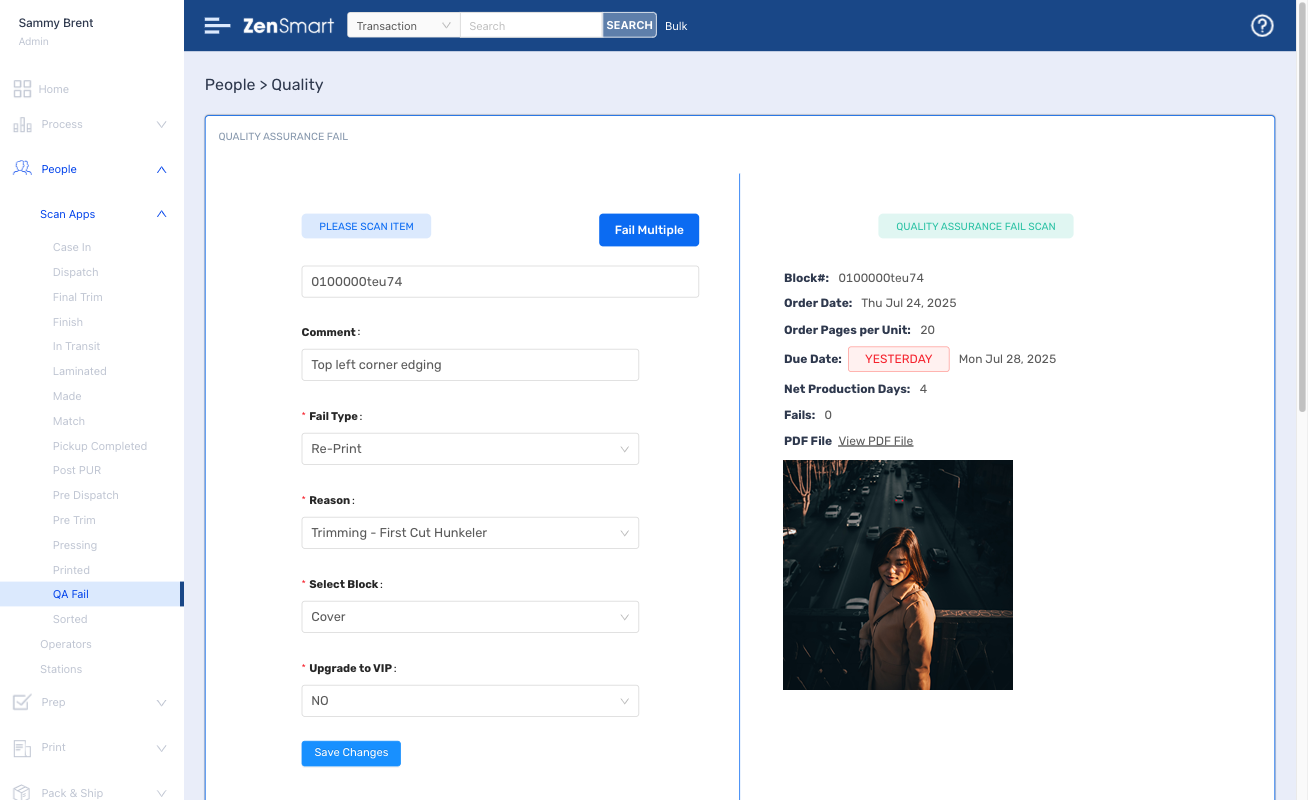
Stop printing overs, print to exact job quantity and make every fail unit accountable
Features
- A simple barcode scan fails any defective item
- Failed items auto-batch according to your rules
- Machine and person responsibility for all fails are clearly visible
- Set budgetary limits for fails
Which means
- Strictly control fail levels
- Find the source of fails easily
- Improve procedures to cut costs


Ship via your existing logistic integrations or ZenSmart's least cost smart algorithms with all the major carriers and platforms integrated
8
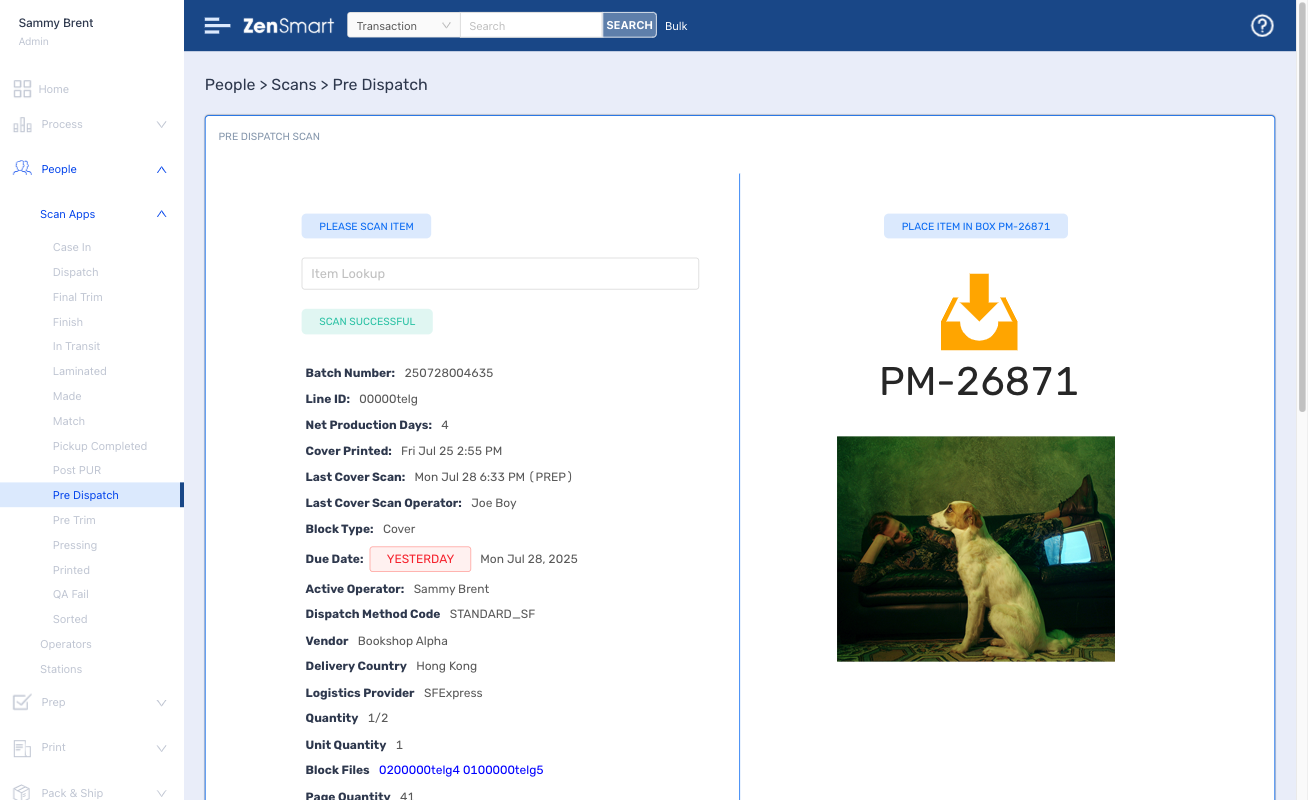
Features
- Big library of existing carrier integrations
- Least cost live auctions
- Pre-manifesting for super fast shipping
- Scan to ship – controlled by your automated ship rules
Which means
- Cut your shipping costs
- Ensure ship team productivity
- Clearly see status of orders by due date
Setup with ease, administer with minimal effort
Part of running a great workflow
automation platform is controlling how you
manufacture and how you adapt to changes
and innovation in your organization.
ZenSmart has a sophisticated set of tools
and easy to use interfaces to make
implementation easy and then adapt your
implementation over time.
Connect your order source and let AI-Start onboard your products
Features
- Learns all your products, product meta-data from any of the existing order integrations (Shopify, PrintIQ, Cin7 and many more)
- Adds all your SKU-product workflow combinations automatically
- Enables super-fast addition of any new proprietary order source
Which means
- Add “big” ranges automatically
- Go live in as little as 1-day

Create product workflows with drag and drop ease
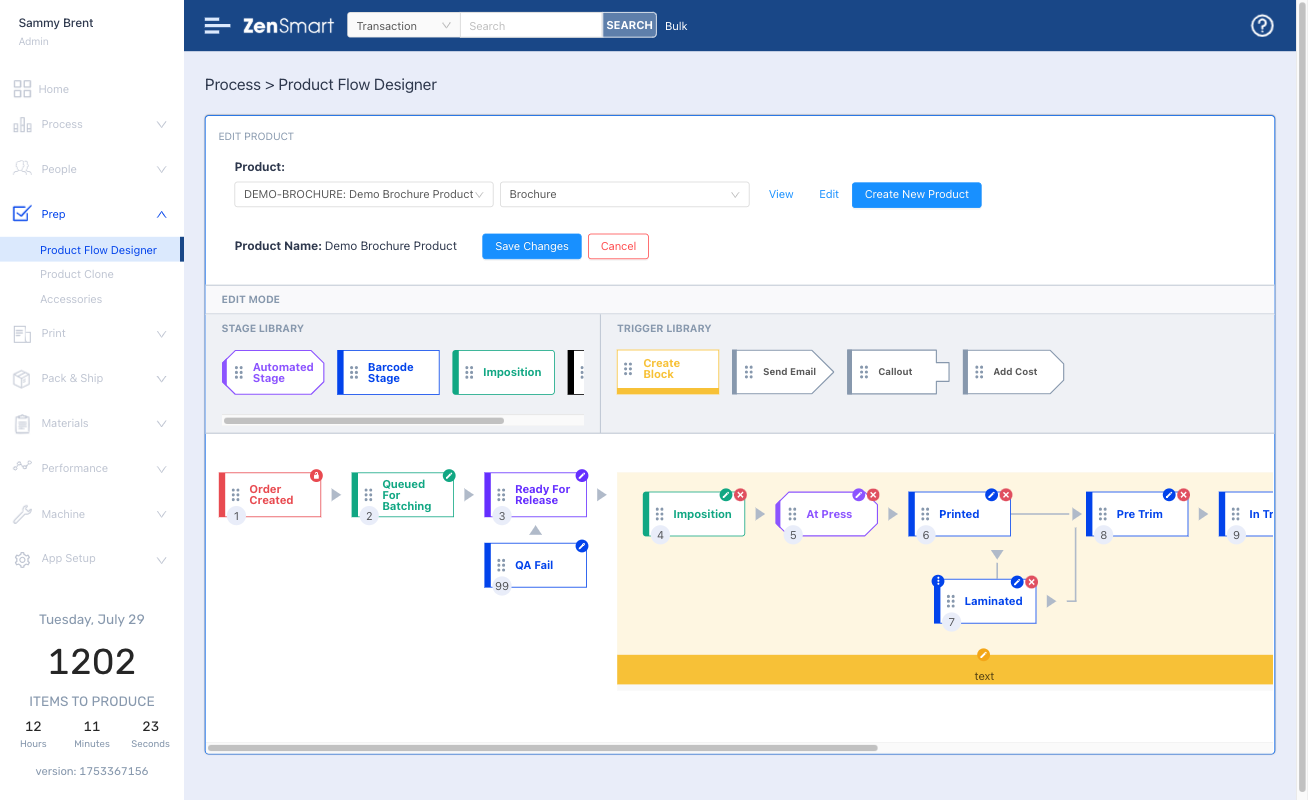
Features
- Create new product workflows with just a few clicks
- Amend workflows by simple drag and drop
- Dye-Sub, UV-LED, Screen to Film workflows pre-loaded
- Automatically queue and batch to different production workflows with your business rules
- Switch jobs from Dye-Sub to UV-LED and other combinations with a single click
Which means
- Route work automatically
- Reduce labor costs
- Make changes to workflow with no headaches
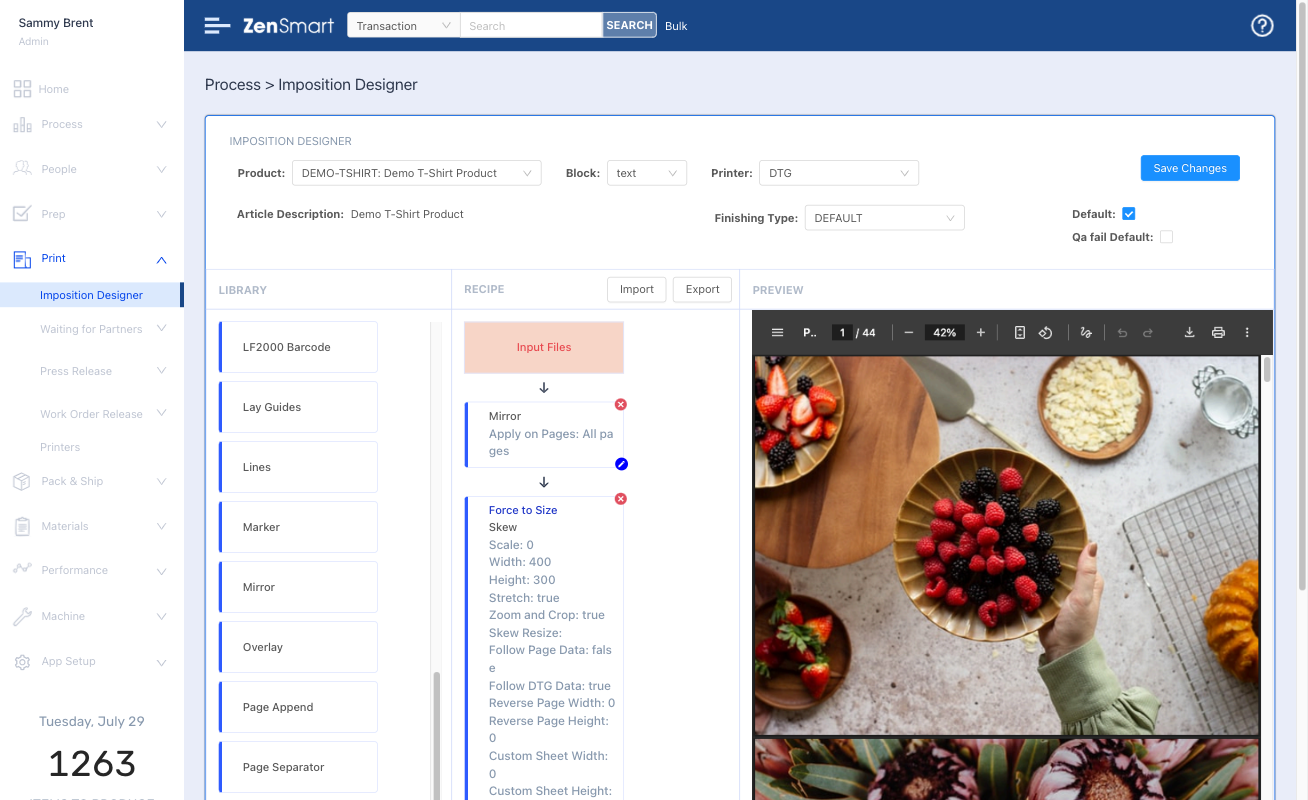
No need to send to an external imposition solution with ZenSmart Imposition Designer
Features
- Design any page layout
- Build your recipes for each production type
- Auto generate batch and job sheets
Which means
- No need for an external imposition app
- Automate directly to CTS, Digital, Wide format, Grand format, Label and B&W printers
Least cost business rules are easy to define in Ship Designer
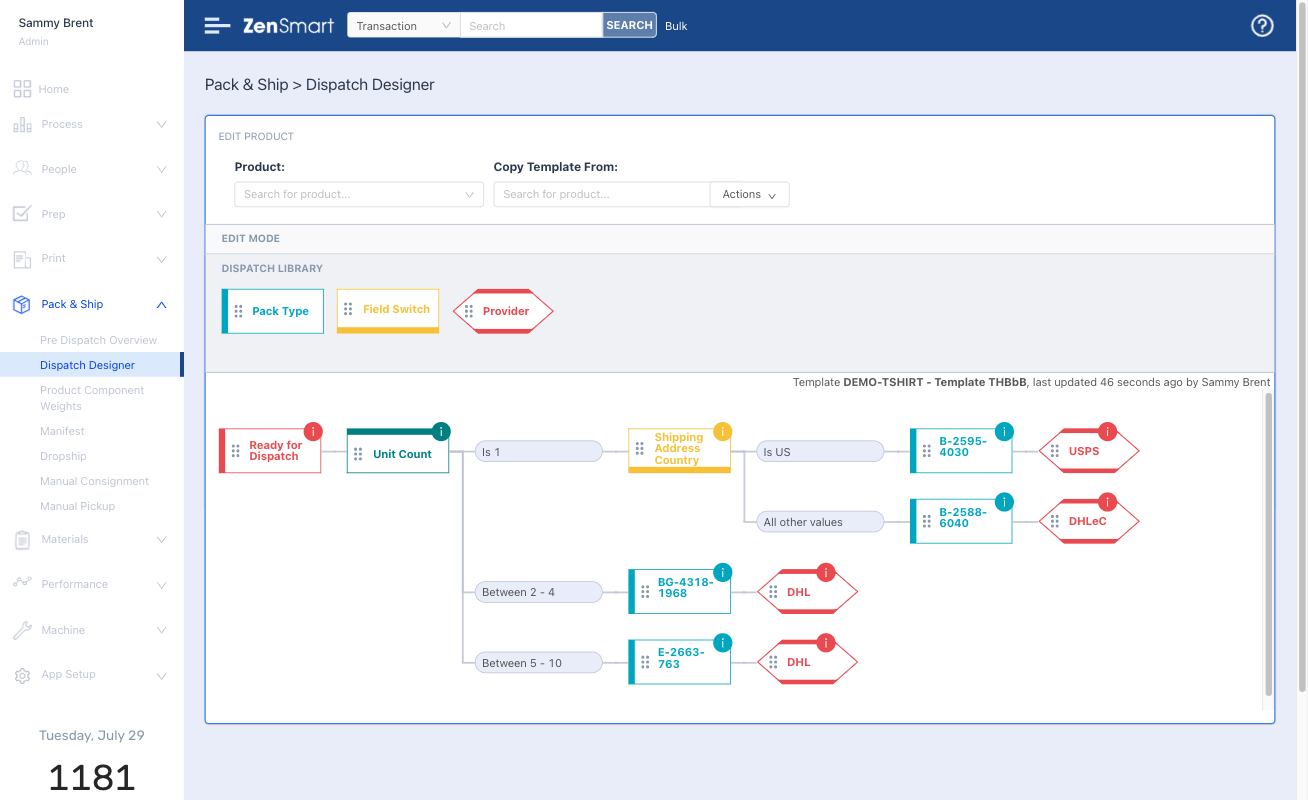
Features
- Rich library of integrations with Fedex, UPS, Royal Mail, DPD, DHL, ShipStation, Shipcaddie and many more
- Run live reverse auctions to find least cost ship options
- Automated order inclusion reminders
- Automated change rules by date
Which means
- Cut your shipping costs
- Shipping becomes a 1-scan operation – no knowledge required just automated business rules followed
- Cut labor costs
- Onboard new staff fast
Every scan, every process creates data. Data that defines the who, what, where and when of manufacture.
It provides the foundation for incredible insight, insight to solve problems, insight to take your business to the next level, insight to drive profit
Sophisticated reporting provides deep insight
Beautiful team dashboards keep everyone informed
Features
- Easy to modify – make relevant dashboards even for small teams in your business
- Optimized for cheap web-tv’s
- Automatically refresh – everyone gets the latest data
Which means
- Keeps everyone continuously informed
- Powerful impact on culture
- Enables management by walking around
Tailored WIP and 'Stuck' views enable every order to be controlled
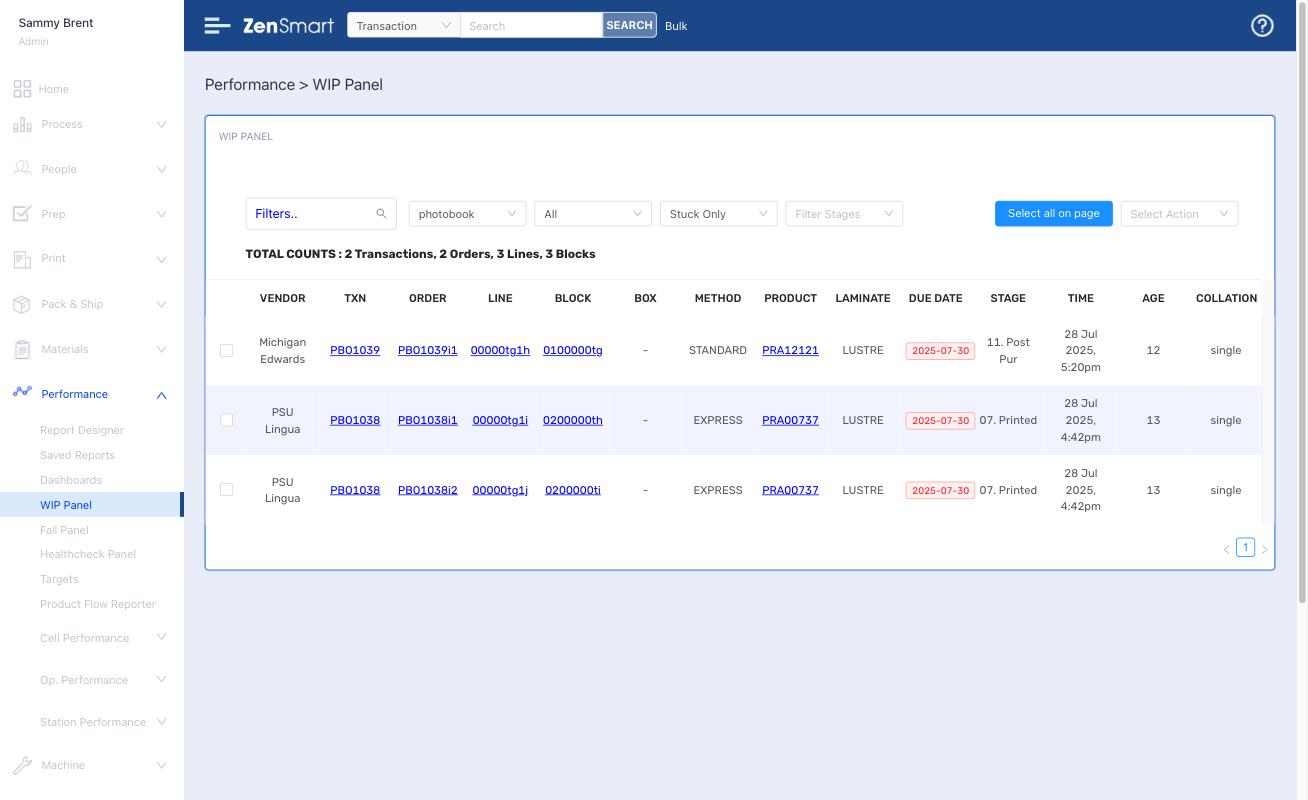
Features
- Powerful view of everything in production
- Filter for different products or attributes, instantly see what is overdue and due today
- Filter for items “stuck” taking too long at any workflow stage
Which means
- Total performance oversight
- Never let an item go over service level
- Cut your costs and keep your customers happier
- Outperform your competition
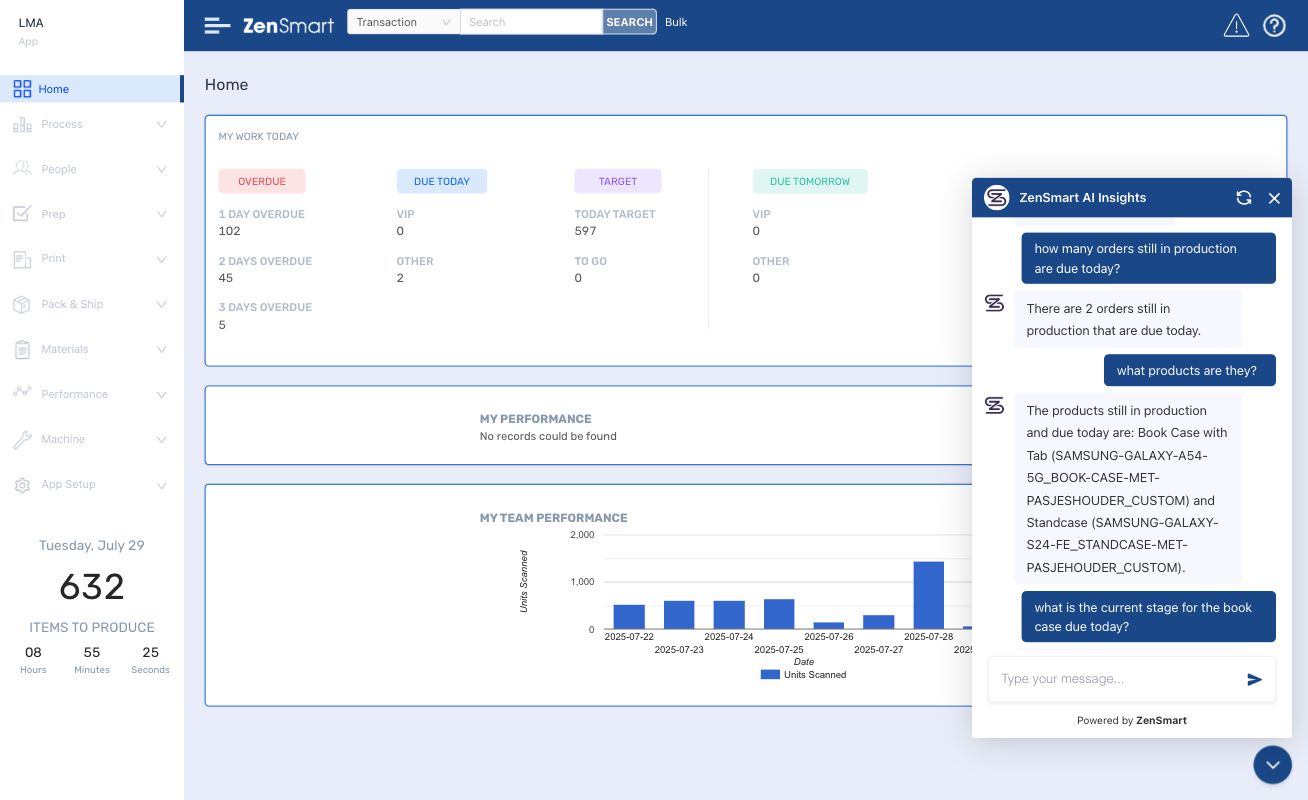
Have the answers at your fingertips with AI-Insight
Features
- AI powered chatbot
- Ask “any” question – questions about people, VIPs, SLA performance, machine downtime – anything at all
- Fully conversational
Which means
- Instant access to the info you have to know about
- Easy to use – don’t build a report – just ask a question
FAQ
How does ZenSmart modernize production for offset and digital commercial print houses?
ZenSmart can unite Litho and Digital into a single factory production system by creating real time paper and digital Job Sheets with QR codes or Barcodes for workflow scanning. One of the key characteristics of Commercial Print is work queuing at specific workstations. ZenSmart supports virtual storage at workstations (its as simple as a barcode scan and defining the location) so that the status of every Job in the factory is always known, even when a Job has lots of individual components. So, not only does ZenSmart assist in the Flow of work through the factory but it also increases the efficiency of how that work is processed by understanding how the Job moves.
What automation tools are available for job imposition, gang printing, and reprints?
Queuing, batching, imposition (ganging) and printing are all standard functions of ZenSmart and wholly automated. For digital workflows ZenSmart will queue Jobs until your Batch size or Time rules are met to an efficient imposition and then route to the press. For Litho running CTP, ZenSmart will also send to CTP for plate making with dynamic generation of Batch and Job Sheets with barcodes, finishing instructions all imposed just in time.
Can ZenSmart work alongside legacy MIS and pre-press systems used in commercial print?
Yes, ZenSmart works hand in hand with existing MIS, pre-press and inventory systems. ZenSmart is specifically designed as an open system to connect to these existing platforms. This can be done by real time echoing job status back into the upstream platform or outputting all job status updates every few minutes for the upstream platform to pull the data and update its records.
How does ZenSmart manage multi-job batching and press scheduling to reduce make-ready time?
ZenSmart automates multi-job batching as a core function of the platform. Jobs that can be printed together queue together following your Queue rules. When the queue is of a size or a time limit has been reached then the queue is closed and all the Jobs are batched together. In the Press Room operators can choose which press-finishing workflow to send the work down. A good example is business cards. Orders for Business cards 9x5cm, Matt 280gsm can queue together and then when your target quantity or time limit is reached then they are batched for the press room to send to either Litho or Digital print according to your rules or press loads/availability. This whole process is automated with the only Staff involvement clicking to release the print.
How does ZenSmart support profitability tracking across variable job types and clients?
ZenSmart can attach component cost against an Order as it moves through production according to what was observed in the production process. If an item is failed and needs to be reprinted, then it will be added to the total Order cost, each process stage is tracked and the work time duration at each stage is also real time calculated and added against the Order/Job. It means that instead of running the factory on an estimated or average cost basis, the factory can be run on observed actual cost. This can reveal critical insight that can totally change product strategy, pricing or provide the basis for performance improvements that must be implemented.
Find out how ZenSmart can create a smart, flexible manufacturing automation outcome for your business with big reduction to your costs.... or just get some advice!
Let's Talk 🙂
Whether you’re just exploring automation, looking for advice, or ready to book a ZenSmart appointment – we’re always up for a chat. Reach out and let’s talk.